Install and Use Britbox on FireStick: Getting BritBox up and running on a FireStick is surprisingly painless, and this little guide walks through the whole shebang—installing the app, activating it, and actually enjoying the content without losing your sanity. It works smoothly on anything from a FireStick 4K Max to a Fire TV Cube or the Lite version, so no one’s left out. Along the way, it also points out the cool features that make BritBox worth the subscription, because let’s be honest, knowing how to get it on your screen is only half the fun—the other half is actually binge-watching without interruptions.
What Is BritBox?
BritBox is essentially a direct portal to the UK, cramming every bit of BBC wit and ITV grit onto your screen without the misery of damp socks and a failing umbrella. Honestly, it’s a total lifesaver for anyone who finds mainstream TV a bit stale; you get those cozy, nostalgic comedies that feel like a warm hug and gritty dramas that actually respect your intelligence. Ditching the ads is the only sane way to do it, too, because nothing ruins a high-stakes cliffhanger faster than a loud commercial for detergent. Getting the app live on a FireStick is surprisingly painless—thankfully not one of those tech-induced headaches—and once that activation screen clears, the living room transforms into a tiny British colony. It’s a brilliant little binge-watching rabbit hole that makes a seven-day trial feel like a mere appetizer for the chaos to come.
Is BritBox Safe and Legal?
Since BritBox is a legit resident of the Amazon App Store, there’s zero reason to mess around with those shady third-party sites that usually end in a digital headache or a fried device. It’s completely above board and safe, though keeping a service like ExpressVPN in the back pocket is a smart move to keep things private and stop prying eyes from snooping on your viewing habits. Relying on an official app just feels better, honestly, because nobody has time to troubleshoot sketchy sideloads when there’s a massive library of British gems waiting. It’s a clean, drama-free setup that ensures the only thing actually worth worrying about is which series to obsess over first.
Quick Overview of BritBox Features
Here’s a snapshot of what BritBox offers:
- User-friendly interface
- Easy navigation
- Wide variety of content categories
- Original British programming
- Personalized series collections
- Exclusive new content every week
- Partnerships with BBC and ITV
- 7-day free trial
How to Install Britbox 2026 On FireStick
- Getting BritBox on a FireStick is one of those rare tech moments where nothing goes wrong
- No sideloading stress, no shady apps, no YouTube tutorials filmed in 2016
- It’s official, clean, and shockingly drama-free (unlike the shows you’re about to watch)
- Start at the FireStick home screen and drift over to Find
- Hit Search, because of course that’s where everything hides
- Type BritBox with the remote and silently judge how slow typing still is
- Spot the official BritBox icon—the legit one, not an imposter
- Click Install and let Amazon do its thing
- When it’s done, tap Open and enjoy that tiny victory
- BritBox now lives on your FireStick, rent-free
- Dramas, mysteries, documentaries, dry humor—neatly stacked and waiting
- It feels organized, calm, and very British in spirit
- One small reality check before the binge spiral begins
- A subscription and activation still stand between you and peak couch comfort
- Finish that setup, then surrender fully to long nights and even longer accents
How to Stream on FireStick with a VPN
Before you start streaming In Firestick, I would like to warn you that everything you stream on firestick is visible to your ISP and Government. This means, streaming copyrighted content (free movies, TV shows, live TV, and Sports) might get you into legal trouble.
Thankfully, there is a foolproof way to keep all your streaming activities hidden from your ISP and the Government. All you need is a good VPN for FireStick Streaming. A VPN will mask your original IP which is detecting… and will help you bypass Online Surveillance, ISP throttling, and content geo-restrictions.
I personally use and recommend ExpressVPN, which is the fastest and most secure VPN. It is compatible with all kinds of streaming apps and devices.
NOTE: We do not encourage the violation of copyright laws. But, what if you end up streaming content from an illegitimate source unintentionally? It is not always easy to tell the difference between a legit and illegal source.
So, before you start streaming on FireStick, here's how to get VPN protection in 3 simple steps.
-
Step 1 Get the ExpressVPN subscription
Get it HERE. It comes with a 30-day money-back guarantee. Meaning, you can use it free for the first 30-days and if you are not satisfied, you can ask for a full refund.
-
Step 2 Download and install the ExpressVPN app
Click HERE to download and install the app on your streaming device. If you are using a FireStick, I have given the exact steps starting with Step 4 below.
-
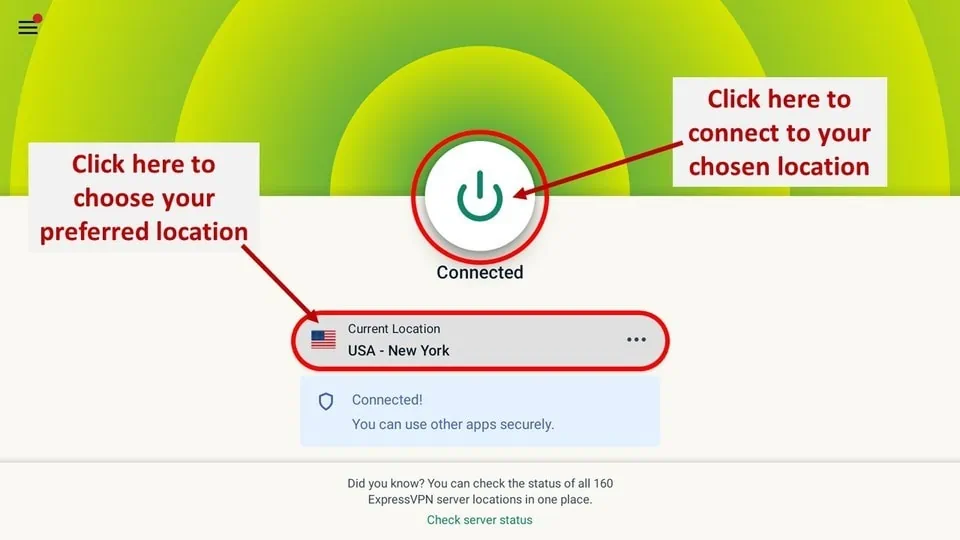
Step 3 Click the Power icon to connect
Your connection is now secure with the fastest and best VPN for FireStick.
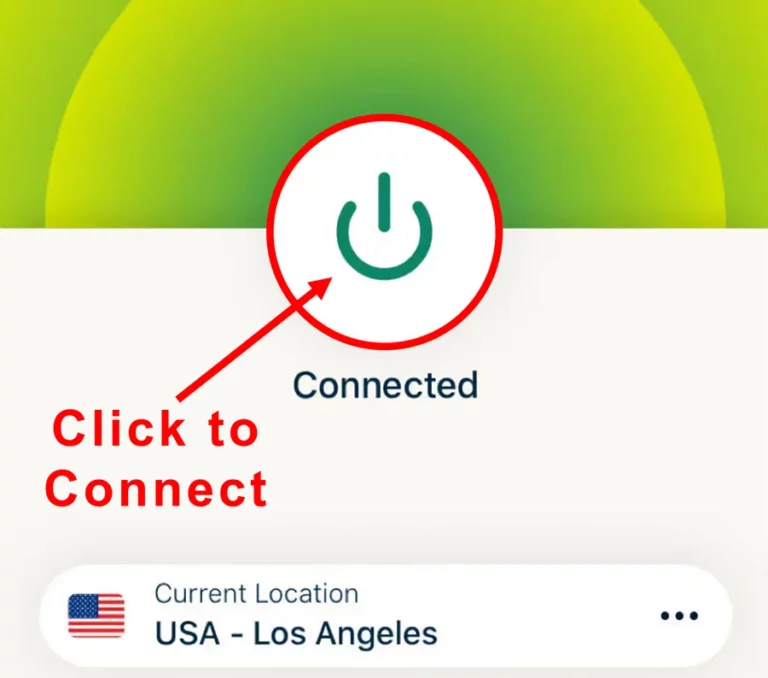
The following are the steps to install ExpressVPN VPN on your Fire TV devices. If you have other streaming devices, follow Step 1-3 above.
-
Step 4 Subscribe to ExpressVPN
Subscribe HERE (if not subscribed already).
-
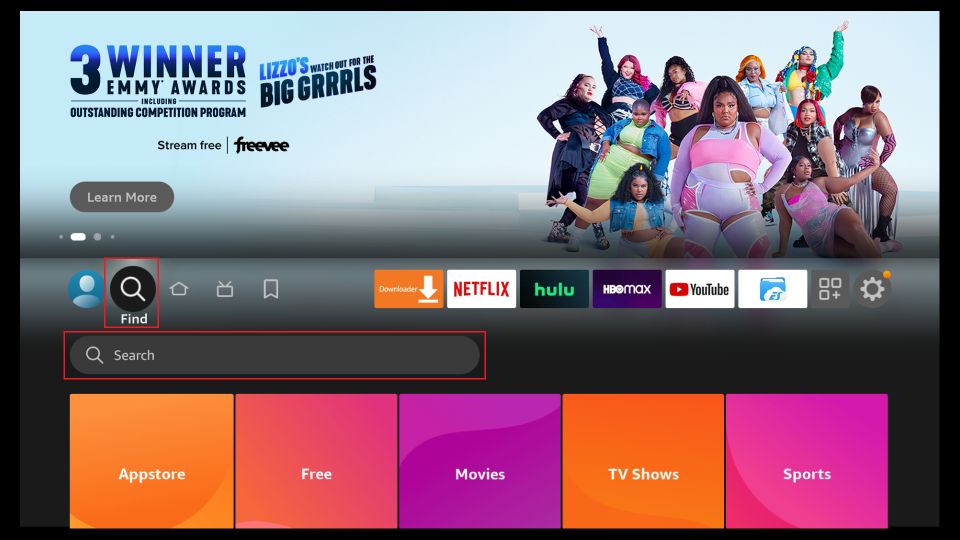
Step 5 Go to Fire TV Stick home screen.
Click Find followed by Search option (see image below).
-
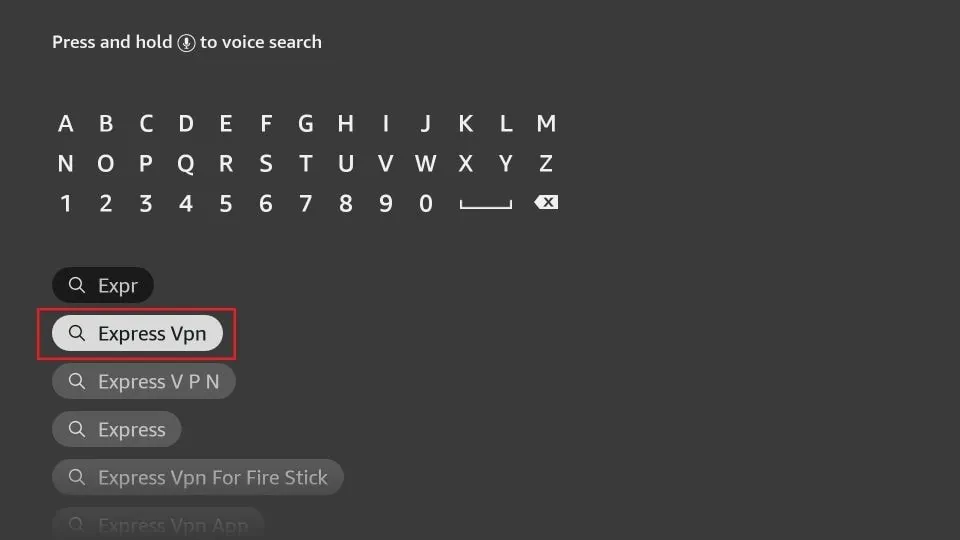
Step 6 Type Expressvpn in the search bar and select when it shows up
-
Step 7 Click Download
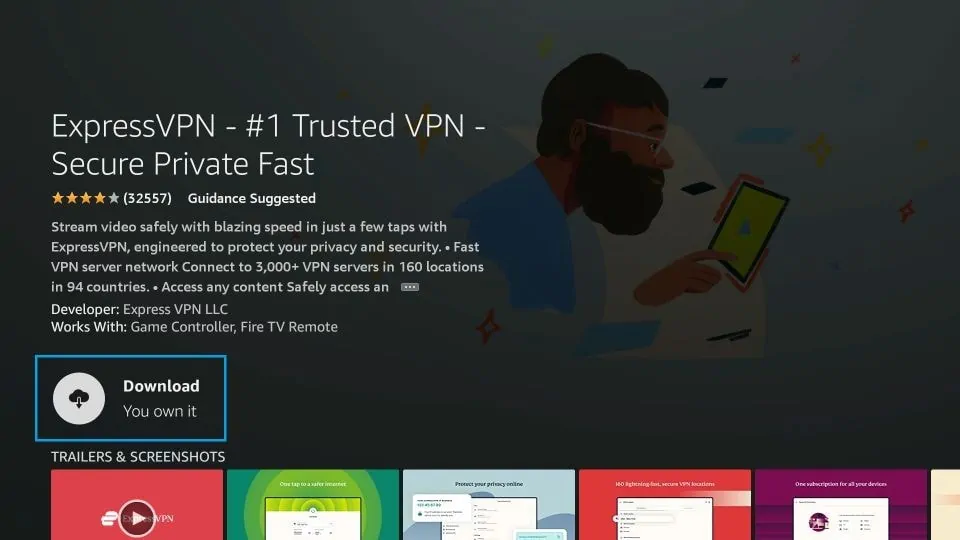
-
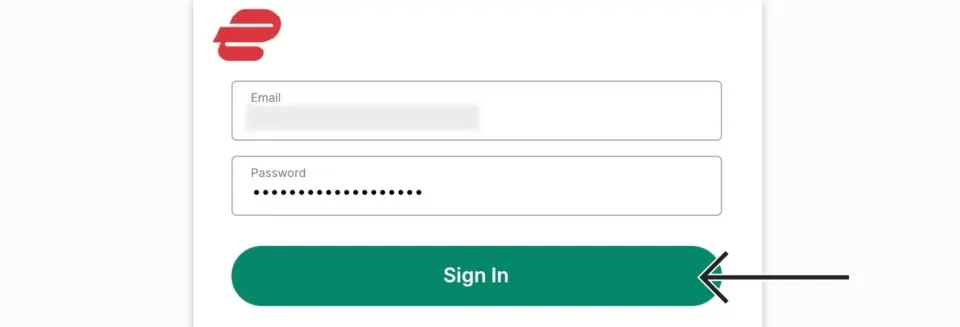
Step 8 Open the ExpressVPN app
Sign in using the email ID and password that you created while buying the ExpressVPN subscription.
-
Step 9 Click the Power icon to connect to a VPN server.
That’s all. Your FireStick is now secured with the fastest VPN.
How to Subscribe Britbox
BritBox isn’t free—think of it as a ticket to endless British shows and movies, and that ticket costs $6.99 a month or $69.99 a year. Signing up is painless: fire up any browser, head to the official BritBox subscription page, and you’ll spot the 7-day free trial tempting you. Pick monthly or yearly, hit “Try Now,” create an account, fill in the usual details, toss in your payment info, and just like that, the binge-worthy British content is all yours—no magic, just a little clicking.
How to Activate the Britbox App
Activating Britbox on your FireStick is quick and easy. Follow these steps:
- Open the Britbox app on your FireStick. On the signup screen, you’ll receive a 6-digit activation code. Make a note of this code.
- On another device (such as a phone or computer), open a browser and visit the Britbox activation page. Log into your Britbox account and enter the 6-digit code when prompted.
Within moments, your FireStick will be activated and ready to stream Britbox content.
How to Use Britbox on Your FireStick
Britbox features a simple, user-friendly interface that anyone can navigate easily. When you open the app, you land on the home screen, where you’ll find options like Browse Actors, Home, and Recently Added.
- Home Tab: The landing spot that gives a quick peek at everything, from quirky originals to classic British gems—basically your starting point for whatever mood hits.
- Continue Watching: Picks up exactly where you left off, so no awkward scrambles to remember which episode you paused at 27 minutes.
- Recently Added: Shines a light on fresh British shows and movies, perfect for that “what’s new?” curiosity attack.
- Browse Actors: Lets you follow your favorite British stars and discover all the shows or films they pop up in—because let’s be honest, sometimes it’s all about who is on screen.
With these dynamic categories, Britbox offers a rich variety of content—from historic dramas to original series—at an affordable price.
Why Choose BritBox app
Trying to find the BritBox app buried in the FireStick’s never-ending list can be a real test of patience—like digging through a junk drawer for that one missing charger. The easiest hack? Pin it to the home screen so it’s always there, ready the moment the binge mood strikes. Feels like a small life upgrade, honestly, and if it sounds like magic, there’s a detailed guide on creating home screen shortcuts because apparently even streaming deserves a little order in the chaos.
Best Britbox Alternatives 2026
- Samsung TV Plus Kodi Addon 2026
- Sportsnet NOW Features
- Red Wizard Kodi Build 2026
- Hard Nox Kodi Build 2026
- Kodi Karaoke 2026 Free Addon
- Catch-Up TV 2026
Wrapping Up
Getting BritBox up and running on a FireStick is one of those experiences that’s equal parts “aha, finally” and “wait… what did I just click?” Some steps slide by so smoothly it almost feels like cheating, while others make the app seem like it’s intentionally testing patience—like it’s hiding just to mess with you. If it worked on the first try, that’s basically digital wizardry; if not, no shame, because technology has this sneaky habit of making even the simplest things feel like brain teasers. There’s a weird satisfaction in finally seeing the app load after a couple of awkward mis-clicks, and it’s actually kind of fun comparing notes on the little quirks—like why does one button work perfectly while the next acts possessed? Drop any triumphs or head-scratchers in the comments, because hearing someone else wrestle with the same nonsense makes the whole thing a little less lonely… and a lot funnier.