Install & Watch Frndly TV on FireStick: This quick guide walks through installing Frndly TV on a FireStick without the usual techy fluff or robotic steps—just a clean, real-world walkthrough that actually works. It’s built for every current Amazon Fire device out there, from the budget-friendly FireStick Lite to the beefy Fire TV Cube and the surprisingly capable 4K Max, because yes, Amazon loves making ten versions of the same thing.
Frndly TV 2026
- Look, we’ve all been there—staring at a cable bill that costs more than a car payment just to watch a few feel-good reruns.
- It’s exhausting. Enter Frndly TV, which kind of crashed the party in 2019 and decided to actually be chill for once. Instead of trying to own the entire internet, they just leaned into this hyper-focused, “cozy sweater” vibe with about 40+ channels.
- It’s refreshing, honestly; there’s no bloated filler or pretentious “prestige” nonsense to wade through.
- You get exactly what’s on the tin: curated, family-friendly comfort food for your brain that doesn’t require a background check or a second mortgage.
- It’s basic, it’s honest, and frankly, in a world of endless subscription tiers, it’s the low-stakes win we actually deserve.
Read: Top 10 Best MethStreams Alternatives
What Is Frndly TV?
I’m a total sucker for their mix of classic cinema and those “guilty pleasure” trending shows, and apparently, I’m not alone since they blew past the 500,000 subscriber mark ages ago. For $6.99 a month—which, let’s be real, is like the price of a fancy latte these days—you get live feeds, a solid on-demand library.
The cloud DVR that actually works without making you want to throw your remote at the wall. It’s not trying to disrupt the entire universe, just providing a budget-friendly, low-stress way to veg out on some documentaries or Hallmark movies after a long day, and honestly? That’s more than enough.
Frndly TV Plans
Frndly TV is a subscription-based streaming service with three affordable plans to choose from:
- Basic – $6.99/month: Offers SD streaming quality, access to live TV and on-demand content, and supports one screen at a time. Note: No DVR included.
- Classic – $8.99/month: Includes HD streaming, live TV and on-demand, support for two screens, and unlimited DVR storage for up to 3 months.
- Premium – $10.99/month: Provides HD quality, access on up to four screens, and unlimited DVR for up to 9 months.
Frndly TV Subscription 2026
If you’re even a little bit curious about Frndly TV, the annual plans are honestly where it starts to make sense—especially the Classic plan at $89.99 a year, which quietly knocks about 15% off what you’d pay month to month (yes, I did the math so you don’t have to). I like that it feels low-pressure too, because every plan comes with a 7-day free trial, meaning you can poke around, watch your shows, and see if it fits your routine without that “did I just waste money?” anxiety. And if it’s not your thing, cancel during the trial and walk away clean—no awkward charges, no regrets, just a very adult sense of financial responsibility.
How to Install Aliunde Kodi Addon on FireStick
How to Subscribe to Frndly TV
- Getting this thing up and running is thankfully a breeze, so here is the lowdown on skipping the drama and getting straight to the couch:
- Pop over to https://try.frndlytv.com on whatever device is closest to you, whether that is a cracked phone screen or your actual computer.
- Smash that “WATCH 7 DAYS FREE” button because, honestly, testing the waters before committing is just common sense.
- Pick a plan—Basic, Classic, or Premium—depending on how much you care about things like HD or cloud storage.
- If you went for the fancy tiers, decide if you want to pay monthly or just do the annual thing and forget about it for a year.
- Just click through the remaining prompts to wrap up the boring billing stuff.
- Boom, you are done; now go grab your FireStick or whatever remote you haven’t lost in the sofa cushions and start the marathon.
Download Frndly TV APK
Huge win for the cord-cutters today: Frndly TV finally stopped playing hard to get and landed officially on the Amazon App Store. Honestly, it’s about time because sideloading apps onto a FireStick is a special kind of hell involving Downloader codes and sketchy permissions that make me feel like a low-rent hacker.
Now, you can just search, click, and get back to your Hallmark movies or History Channel marathons without the tech-induced migraine. It’s glorious in its simplicity—just a straightforward install that actually works on the first try, saving us all from the inevitable “Why is the remote not responding?” spiral. If you’ve been procrastinating on this because you hate complex setups as much as I do, consider this your green light to finally declutter that app library.
How to Install Frndly TV on FireStick 2026
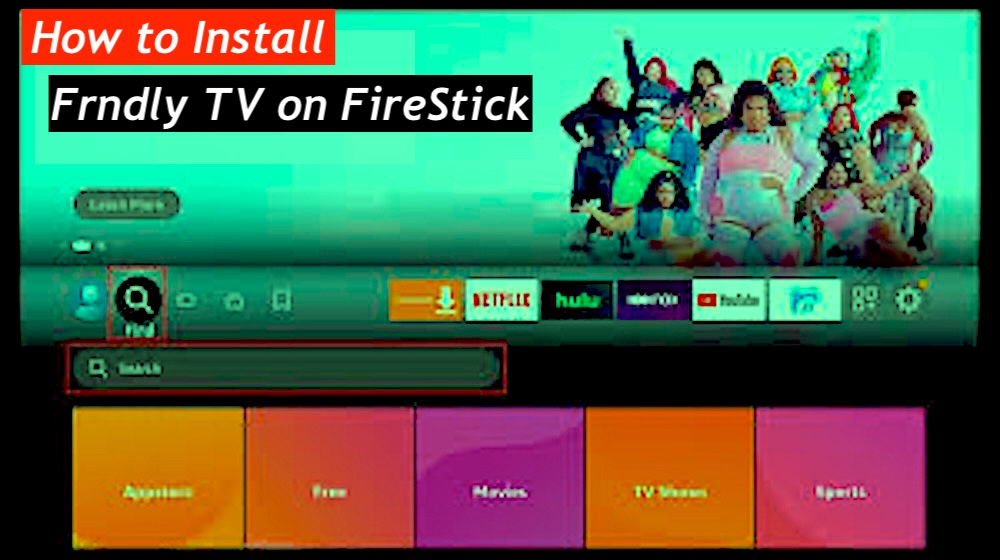
- On the FireStick home screen, select the magnifying glass icon (Find).
- Scroll down and choose the Search box.
- Type “Frndly TV” and select it from the suggested list.
- Click on the Frndly TV app from the search results.
- On the app’s page, click the Get button. If you’ve installed Frndly TV before, you’ll see a cloud icon instead of “Get.” Click it to reinstall.
- Once the installation finishes, the button will change to Open.
You’ve now successfully installed Frndly TV on your FireStick and are ready to start streaming.
How to Set Up ExpressVPN on FireStick
- Subscribe ExpressVPN first — it comes with a 30-day money-back guarantee.
- Download and install the ExpressVPN app on your device.
- On your FireStick home screen, go to Find → Search.
- Type ExpressVPN in the search bar and select it from the suggestions.
- Click Download and let it install.
- Create your ExpressVPN account and subscribe through their official signup page.
- Launch the app and log in using the same email + password you used when signing up.
- Finally, press that big Power icon again to connect to the fastest available server — and you’re good to stream without feeling watched.
You’re now protected with the best VPN for FireStick—stream confidently and securely.
How to Use & Watch Frndly TV on FireStick
- Hit the Home button like you’re bailing out of a bad menu decision and slide over to Apps
- If you plan to use Frndly TV more than once (you will), stop hiding it—pin it to the home screen or grab it from the App Library
- Click the Frndly TV icon and brace yourself; the first load always feels longer than it should
- When the welcome screen finally shows up, tap that big green Sign In button with confidence
- Choose the username and password option and carefully fight the FireStick keyboard like the rest of us
- Get through the login and boom—the Guide pops up, full of live channels and zero judgment about how long you stay there
Frndly TV App Features 2026
- This is the control room
- Scroll through live schedules without thinking too hard
- MeTV, Hallmark Channel, and plenty more lined up neatly
- Jump back to what already aired or peek ahead like a planner
Movies Tab
- A rabbit hole in the best way
- Trending picks, what’s live right now, and fresh additions waiting
- Good for indecision and late-night “one more movie” moods
TV Shows
- Where new episodes quietly pile up
- Catch what’s trending or recently added without hunting
- Live TV streams live here too—no extra steps, no nonsense
My Recordings
- The safety net for forgetful viewers
- Everything saved through Cloud DVR lands here
- Only shows up if you’re on Classic or Premium—worth knowing
Settings
- The tweak zone
- Adjust preferences, fix small annoyances, make it feel right
- Nothing fancy, just useful controls that stay out of the way
How to Install CyberGhost VPN on FireStick
Final Thoughts
Frndly TV feels like one of those rare wins where you don’t have to overthink the price just to enjoy good TV—it’s affordable, surprisingly solid, and does the basics really well, from live channels and movies to DVR that actually comes in handy. It’s the kind of app you install thinking “this might be just okay” and then catch yourself scrolling through classics and current shows longer than planned.
There’s something oddly comforting about how simple and flexible it is, especially if you’re deep into the cord-cutting life and tired of bloated, overpriced services. On a FireStick, it runs smoothly and quietly earns its keep without trying too hard. If you’ve tried Frndly TV already, curious to hear whether it impressed you too—or if it just became another app living on your home screen.