
Install and Watch Zeus Network on FireStick: This guide provides detailed steps to install and stream Zeus Network on FireStick devices, including Fire TV Lite, FireStick 4K, Fire TV Cube, and FireStick 4K Max.
What Is Zeus Network?
Zeus Network is like a secret corner of the internet for anyone over the endless Netflix reruns and algorithm-fed boredom—messy, chaotic, and unapologetically driven by the influencers you actually care about. Think reality TV that’s wild, comedy sketches that hit in the weirdest way, and talk shows starring people who usually just live in your social feeds, all without that corporate stiffness that makes every show feel like a spreadsheet. Lemuel Plummer brought this together with names like King Bach and Amanda Cerny, and somehow it makes binging feel less like procrastination and more like hanging out with the internet’s cooler cousins. The app itself is shockingly easy to navigate—clean, simple, and doesn’t make using a search bar feel like a pop quiz—and subscriptions are chill enough that skipping a month won’t cause existential dread. It’s basically curated nonsense at its finest, the kind of content that makes scrolling social feeds alone feel suddenly sad.
Zeus Network 2026 Features
Here are some of the standout features of the Zeus Network app:
- Get exclusive content from your favorite YouTubers and social media stars—stuff you literally won’t find anywhere else.
- The interface is clean and actually makes sense—no hunting through endless menus.
- Stream original shows ranging from reality TV chaos to comedy, fitness, and all sorts of niche stuff you didn’t know you needed.
- Jump around effortlessly: browse organized subcategories or just type in what you’re looking for.
- Watch in solid quality—720p to 1080p—so it’s not pixel soup on your screen.
- Curious but cautious? Trailers let you peek before committing.
- Did I mention it’s free to download? Yeah, no catch.
Subscribing to Zeus Network
Zeus Network offers two subscription options: a monthly plan priced at $5.99 and an annual plan at $59.99. You don’t need to connect your subscription to a TV service provider, and you can cancel anytime without hassle.
To subscribe, follow these steps:
- Visit the official Zeus Network website at https://www.thezeusnetwork.com/
- Click the Subscribe Now button
- Choose your preferred subscription plan
- Enter your email address and create a password
- Provide your payment information
- Click Start Subscription to activate your account
Once subscribed, you’ll have full access to all the exclusive content on Zeus Network.
How to Install Zeus Network 2026 on FireStick
The Zeus Network app is officially available on the Amazon App Store, making installation straightforward. Just follow these simple steps:
- From your FireStick home screen, hit Find—yeah, it’s basically the gateway to everything.
- Select Search and type in “Zeus Network.” It’ll probably autocomplete before you even finish typing.
- Pick it from the suggestions—don’t overthink it, it’s the one with the app icon.
- Scroll down to Apps & Games and click on the Zeus Network tile. Feels a bit like finding a hidden gem, honestly.
- Hit Get or Download, whichever your FireStick feels like showing today.
- Wait a few moments as the app does its thing. The suspense is real, but worth it.
- Once it’s done, either click Open or hold the remote’s menu button—launch it and enjoy.
That’s all it takes to install Zeus Network on your FireStick.
How to Stream on FireStick with a VPN
Before you start streaming In Firestick, I would like to warn you that everything you stream on firestick is visible to your ISP and Government. This means, streaming copyrighted content (free movies, TV shows, live TV, and Sports) might get you into legal trouble.
Thankfully, there is a foolproof way to keep all your streaming activities hidden from your ISP and the Government. All you need is a good VPN for FireStick Streaming. A VPN will mask your original IP which is detecting… and will help you bypass Online Surveillance, ISP throttling, and content geo-restrictions.
I personally use and recommend ExpressVPN, which is the fastest and most secure VPN. It is compatible with all kinds of streaming apps and devices.
NOTE: We do not encourage the violation of copyright laws. But, what if you end up streaming content from an illegitimate source unintentionally? It is not always easy to tell the difference between a legit and illegal source.
So, before you start streaming on FireStick, here's how to get VPN protection in 3 simple steps.
-
Step 1 Get the ExpressVPN subscription
Get it HERE. It comes with a 30-day money-back guarantee. Meaning, you can use it free for the first 30-days and if you are not satisfied, you can ask for a full refund.
-
Step 2 Download and install the ExpressVPN app
Click HERE to download and install the app on your streaming device. If you are using a FireStick, I have given the exact steps starting with Step 4 below.
-
Step 3 Click the Power icon to connect
Your connection is now secure with the fastest and best VPN for FireStick.
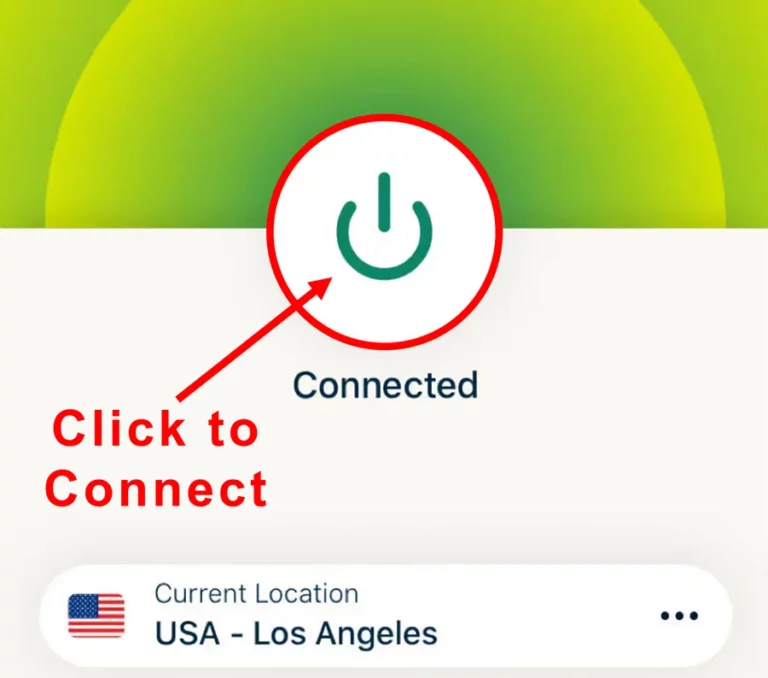
The following are the steps to install ExpressVPN VPN on your Fire TV devices. If you have other streaming devices, follow Step 1-3 above.
-
Step 4 Subscribe to ExpressVPN
Subscribe HERE (if not subscribed already).
-
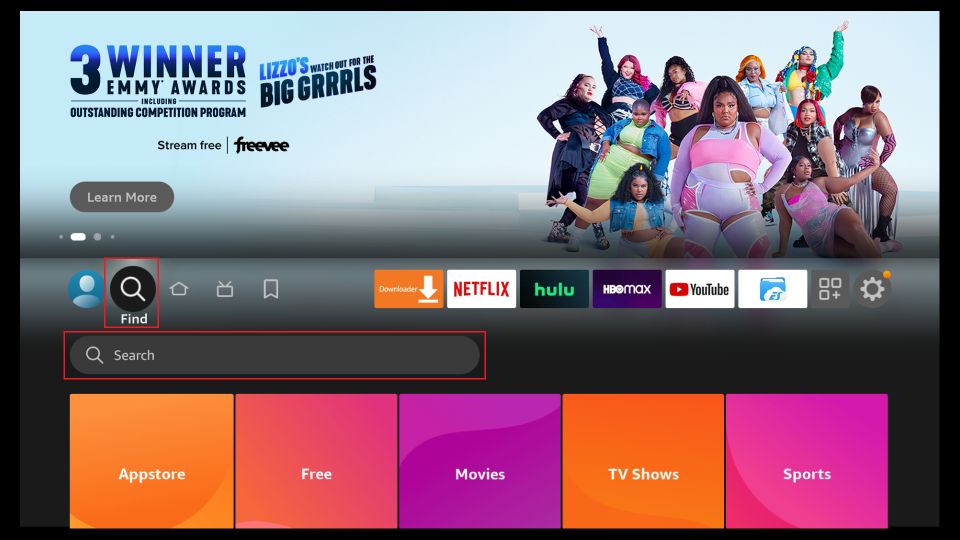
Step 5 Go to Fire TV Stick home screen.
Click Find followed by Search option (see image below).
-
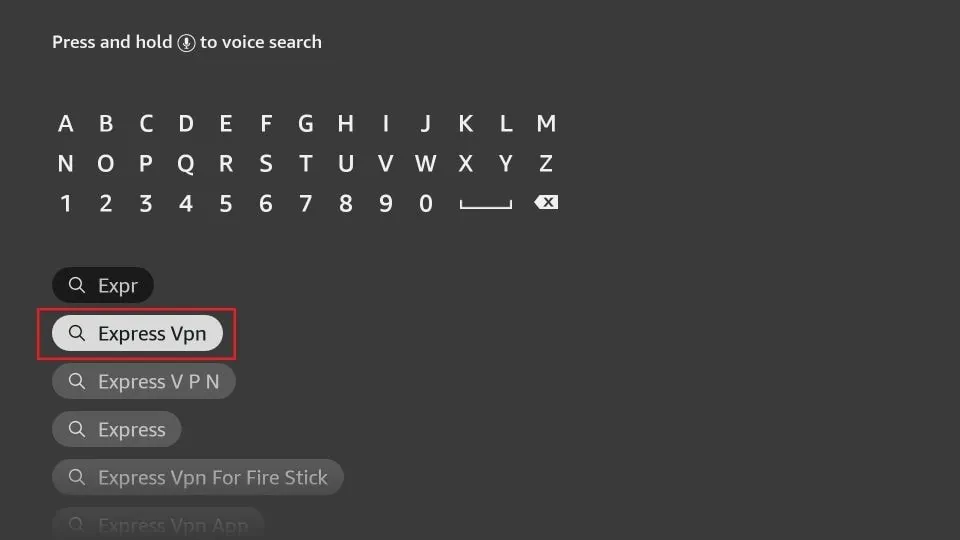
Step 6 Type Expressvpn in the search bar and select when it shows up
-
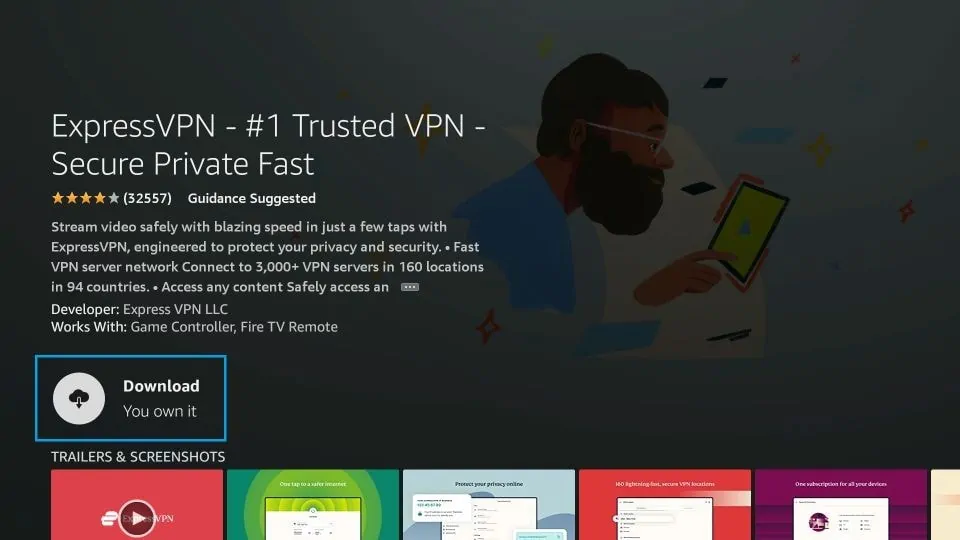
Step 7 Click Download
-
Step 8 Open the ExpressVPN app
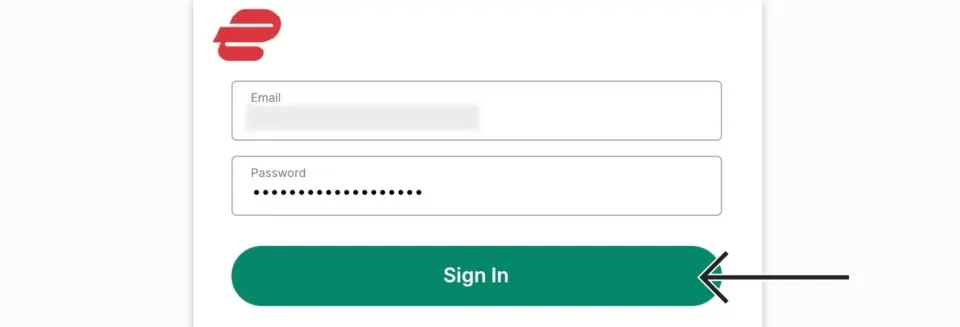
Sign in using the email ID and password that you created while buying the ExpressVPN subscription.
-
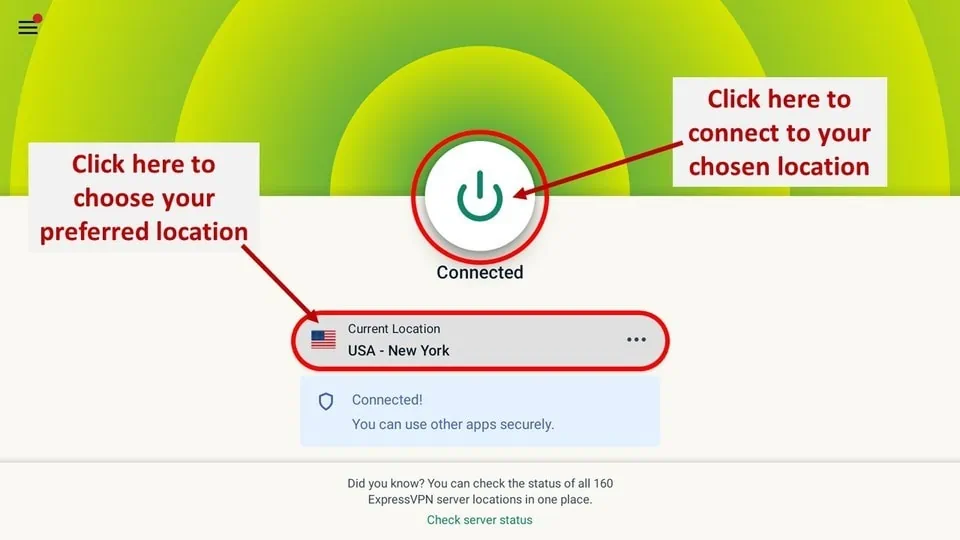
Step 9 Click the Power icon to connect to a VPN server.
That’s all. Your FireStick is now secured with the fastest VPN.
How to Use Zeus Network on FireStick
- Before the binge spiral begins, pin the Zeus Network app to the FireStick home screen—future-you hates scavenger hunts.
- The interface is refreshingly uncluttered, which feels rare and mildly emotional in a world that loves chaos.
- First stop is activation—mercifully quick, no trial of patience required.
- Open the app, tap Log In, and relax—this part doesn’t bite.
- A code (and a QR code) pops up on the TV like it knows you’re tired already.
- Scan it with your phone or, if feeling old-school, open a browser on a computer.
- Type thezeusnetwork.com/activate—yes, it’s mildly annoying, but life is compromise.
- Enter the code, hit submit, and suddenly the FireStick feels upgraded.
- Activation done, momentum restored, dignity intact.
- The layout greets you with a left-side menu that doesn’t overthink itself.
- Search — for zero-patience moments and laser-focused cravings.
- Explore — for wandering moods and accidental discoveries at 1 a.m.
- Library — for hoarding shows like digital comfort food.
- Settings — quietly existing, as it should.
- No clutter, no drama, no unnecessary clicks—just press play and disappear for a while.
How to Watch Zeus Network on FireStick
- The home screen gets straight to the point—loads fast, no dramatic pauses, no patience-testing scroll lag.
- Jumping between categories feels smooth, which is oddly satisfying after surviving apps that act like they’re thinking too hard.
- The lineup hits immediately, loud and unapologetic.
- Baddies South: The Reunion brings peak chaos and unresolved energy.
- Baby I Love You Purr leans fully into unhinged fun.
- Bad Boys: Houston and Los Angeles turns auditions into competitive mayhem.
- Joseline Cabaret delivers Vegas madness with zero restraint.
- One Mo’ Chance rounds it out like the final bad decision before sleep.
- The catalog doesn’t pretend to be subtle—messy reality, loud comedy, scripted drama, talk shows with an actual pulse.
- Even fitness content shows up, quietly judging from the corner of the screen.
- Clicking a show is refreshingly painless—play instantly or hover for a trailer without commitment issues.
- Videos start fast, look clean, and skip the whole buffering-as-a-lifestyle thing.
- The Free section feels like a secret drawer—episodes, mini-series, music videos just sitting there.
- Perfect for “just one thing” scrolling that somehow turns into an hour.
- Everything flows, nothing nags, and the app knows exactly what kind of night this is.
[wbcr_html_snippet]: PHP snippets error (not passed the snippet ID)
Zeus Network Alternatives 2026
Final Thoughts
If scrolling through social media feels like déjà vu, Zeus Network is a breath of fresh chaos—packed with content from influencers that actually makes you stop and watch. Think talk shows that don’t put you to sleep, fitness clips that might actually make you move (or at least inspire mild guilt), reality TV that’s a little too juicy, and comedy that hits when it should. The interface is surprisingly clean and doesn’t make the FireStick struggle like some apps that seem designed to test patience. Honestly, it’s one of those rare streaming apps that feels effortless: install it from the Amazon App Store, sit back, and let the binge begin—no buffering tantrums, no hidden menus, just pure, scroll-stopping entertainment.
[wbcr_html_snippet]: PHP snippets error (not passed the snippet ID)