How to Setup Xtream Codes on Firestick: Diving into IPTV is like tumbling down a rabbit hole where suddenly everything clicks and nothing makes sense at the same time, and right in the middle of that chaos is Xtream Codes—sure, it sounds like a bargain-bin energy drink, but it’s really the backstage key that unlocks a universe of live TV and on-demand shows on a Firestick, phone, or some sketchy Android box, without dragging out a satellite dish or turning the living room into a cable graveyard. There’s something oddly satisfying about it, even if the name screams “hacker played with caffeine again,” because it’s messy, borderline magical, and slightly on the shady side—but if tech that feels like secret wizardry is your jam, it’s impossible not to geek out over.
What Exactly is Xtream Codes IPTV?
Xtream Codes is basically the “login shortcut” that IPTV providers swear by—way easier than wrestling with a 300-character M3U playlist like some medieval torture device. Instead of pasting impossible URLs, all it takes is a username, a password, and a server link, plug it into apps like TiviMate, IPTV Smarters, or Flix IPTV, and suddenly the living room is flooded with live TV. It’s absurdly simple, kind of magical, and honestly makes cable feel prehistoric—like, how did people ever survive with endless button mashing and buffering circles?
How to Install Diggz Xenon Kodi Build
A Quick History Lesson (Because Stuff Got Real)
Back in 2019, Xtream Codes got slammed by a massive anti-piracy sweep in Italy, with digital doors kicked in and servers yanked, sending the IPTV world into chaos and Reddit into a frenzy of panicked memes. The problem? Lots of services were streaming premium stuff without licenses, and Xtream Codes, willingly or not, was in the mix. Fast forward to 2022, and in a plot twist straight out of a Netflix doc, an Italian court cleared them—apparently, there wasn’t enough proof they were deliberately breaking the law. Overnight, they went from headline-grabbing villains to the “misunderstood tech bros” of streaming, and honestly, it’s hard not to marvel at the absurdity of it all.
Why Xtream Codes Still Matter Today
Despite the drama, Xtream Codes didn’t disappear. In fact, a lot of IPTV providers still rely on this setup because it’s just… easy. And in a world where everything tech-related feels unnecessarily complicated, that simplicity is golden. Especially if your provider doesn’t offer an M3U playlist (which can be a pain to manage), Xtream Codes becomes the preferred way to connect. It’s clean, fast, and doesn’t require you to have a degree in Rocket Science to figure out.
Setting Up Xtream Codes on Your Device
Alright, let’s get to the good stuff. Here’s a super simple guide to setting up Xtream Codes on just about any device you’ve got lying around the house:
- First, grab your login details from your IPTV provider. You’ll need:
- Server URL (usually looks like a website link)
- Username
- Password
- Install an IPTV player that supports Xtream Codes. Some good ones:
- IPTV Smarters Pro (my go-to—solid and user-friendly)
- TiviMate (super slick if you’re using Android/Firestick)
- Flix IPTV (especially good for smart TVs)
- Open the app and choose “Login with Xtream Codes API.”
- Enter the info your provider gave you—don’t fat-finger the URL, or it won’t work.
- Click Login. If all goes well, you’ll be watching channels within seconds.
That’s it. No USB sticks, no torrent trackers, no wizard hats required.
My Slightly Biased Opinion
Look, I’ll be real with you—there’s a lot of shady stuff floating around in the IPTV world. Not every provider plays by the rules, and that means you’ve gotta do your homework. Just because you *can* watch 4,000 channels for $5 a month doesn’t mean it’s legal, secure, or even watchable half the time. But from a tech perspective? Xtream Codes is brilliant. It makes an otherwise messy experience a whole lot smoother. I’ve set this up for friends and family who barely know how to update their iPhones, and even they’ve managed to get it running without panicking. So if you’re going the IPTV route, and your provider hands you Xtream Codes credentials—take them. Use them. Enjoy them (responsibly). And hey, maybe don’t cancel your Netflix just yet.
How to Setup Xtream Codes on Firestick/Android
So, if there’s an Amazon Firestick or some trusty Android box sitting under the TV and IPTV with Xtream Codes is the goal, this is the sweet spot. This setup has been done more times than anyone wants to admit—helping friends who “aren’t techy,” fixing family installs that somehow broke themselves, and, yeah, testing random services out of pure curiosity. No judgment. This guide assumes an IPTV provider already handed over the holy trinity—username, password, and that portal URL. Without those? That’s step zero, and there’s no magic around it. Once those details are in hand, though, the rest is surprisingly painless—less rocket science, more “why did this feel intimidating in the first place?”
Step 1: Grab Your Login Info (Yes, That Email)
Before anything fancy happens, track down that welcome email from your IPTV provider—the one that probably got buried under promo junk and random receipts. That’s where the Xtream Codes details are hiding. If it’s “mysteriously missing,” check spam or just resend it. Happens all the time. No shame.
Here’s what actually matters:
-
Server/Portal URL – Usually starts with
http://and ends with something like:8080(looks technical, feels intimidating, isn’t). -
Username – Not your Netflix login. The one they gave you.
-
Password – Case-sensitive. Annoyingly important.
Step 2–16: The “Alright, Let’s Actually Do This” Part
- Install Downloader – Head to the Amazon App Store or Google Play and grab the Downloader app. It’s the tool that lets you install apps that aren’t in the official store. Sounds shady. Totally normal. Necessary evil.
- Enable “Apps from Unknown Sources” – Jump into settings and flip that switch on. Yes, it sounds dramatic. No, it’s not the dark web. It’s just a checkbox.
- Open Downloader – Bright orange icon. Hard to miss. If it’s missing, that’s a different problem.
- Tap the Search Box – This little input field is where things start feeling slightly hacker-adjacent. Relax. It’s fine.
- Enter Code 250931 & Hit Go – This pulls up the TROYPOINT Toolbox, basically a buffet of streaming tools. Feels underground because… it kind of is. Also, quick reality check: use a VPN. ISPs can see traffic, and privacy matters. Pick one you trust and move on.
- Scroll to IPTV Smarters Pro – Find it, click it, download it. No overthinking.
- Wait for the Download – Usually quick. Unless the Wi‑Fi decides today is the day it retires.
- Click Install – Let the device handle its business.
- Open the App – Tap “Open.” Deep breath. You’re close.
- Choose “TV” as Device Type – Select TV, hit Save. Easy decision.
- Select “Login with Xtream Codes API” – Ignore the other options. This is the cleanest path.
- Name Your Profile – Call it whatever. “Living Room TV” works. So does something mildly dramatic. Doesn’t matter.
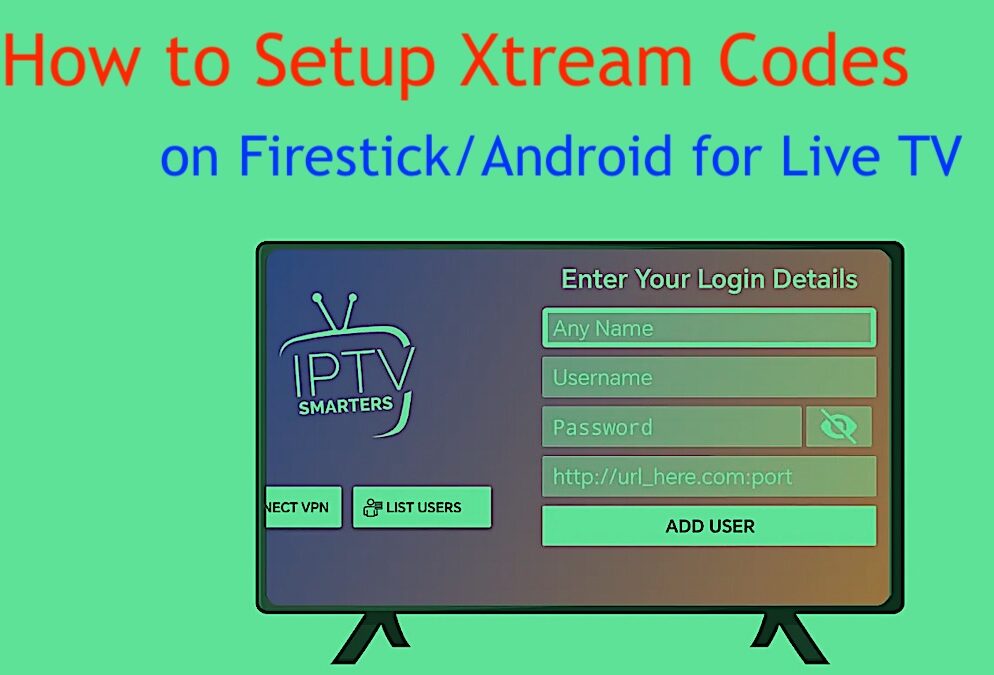
- Enter Your Login Details – Portal URL, username, password. Double-check spelling. One typo = instant frustration.
- Click Download – The app will pull in your channel list. Takes about a minute, give or take. Patience helps.
- Tap “Live TV” – Once it loads, hit Live TV. That’s the moment.
- You’re In – Channels should appear—sports, movies, news, whatever your plan includes. No satellite dish. No cable guy. Just a slightly nerdy setup that somehow feels more satisfying than it should.
How to Add More Logins
Here’s a cool thing: IPTV Smarters lets you add multiple logins. So if you’re bouncing between providers (or splitting costs with friends), you don’t have to reinstall anything. Just do this:
- From the home screen of IPTV Smarters, click Switch User (top right corner).
- Click Add User.
- Select Login with Xtream Codes API and go through the same steps again.
Most Popular Xtream Codes (Use Caution!)
Back in the pre-2019 glory days, you could find Xtream Codes floating all over forums and YouTube comments. Some were gold. Some were total scams. Here are a few that made the rounds—but fair warning, most are dead or unreliable now:
Server URL: http://abcnew.site:8880/
Username: D12m0959
Password: 397660487

Server URL: http://rocksat.ddns.ne
Username: 020214239178
Password: nlMOzO7ualvEPsy

Server URL: http://iptv.ndasat.com:88
Username: 931384020402045
Password: 931384020402045

Server URL: http://stream.geoiptv.live:8880
Username: 7RYmOlCT6F
Password: fJ5lIjAFex

Server URL: http://amazontv.me:8519
Username: 4670115788
Password: 5623525065
I don’t recommend chasing random codes on the internet. They’re usually expired or worse—bait for phishing attempts. Always better to pay a few bucks for a legit subscription.
What About the Xtream IPTV Code Generator?
Ah yes, the “Xtream IPTV Code Generator” app on the Google Play Store. Let me save you some time: skip it. It promises to generate codes out of thin air. Sounds amazing, right? Except… it doesn’t work. The reviews are suspiciously split between glowing five-stars and angry one-stars. I’ll let you guess which ones are legit. If you’re thinking about using it, ask yourself: do I really want to hand my login credentials to a sketchy app that smells like malware? Yeah, didn’t think so.
Final Thoughts
Xtream Codes is still one of the easiest and fastest ways to log into an IPTV service—especially on Firestick or Android devices. When it works, it just works. But keep your expectations in check. These services aren’t perfect, and you’re often one expired server away from an evening of buffering. My take? Use it smartly, stay safe online (hello, VPN), and don’t rely on free codes if you care about stability. Also, maybe keep a backup provider on hand just in case things go sideways. Because in the world of IPTV, they often do. Is Xtream Codes your go-to method for IPTV? Love it? Hate it? Found a better way? Let’s talk about it in the comments—unless you’re a bot. Then, kindly exit stage left.