Install & Activate NBC on FireStick: This guide breaks down exactly how to get NBC up and running on an Amazon FireStick—installing it, activating it, and actually watching something without wanting to throw the remote across the room. The best part? NBC’s official app is sitting right there in the Amazon Appstore (no sketchy workarounds, no “download this mysterious file” nonsense), so it works smoothly across pretty much every Fire TV device out there—FireStick 4K, FireStick Lite, Fire TV Cube, the whole family. And because life isn’t always “yes, I have a cable login handy,” it also covers a few legit ways to stream NBC even without a traditional TV provider subscription—because paying for cable in 2026 feels like voluntarily buying a fax machine.
What Is NBC?
NBC (yep, National Broadcasting Company) is basically one of the OG giants of American TV—owned by Comcast and packed with enough content to keep anyone glued to a screen way longer than planned. It’s not just the main NBC channel either; it’s got a whole lineup of well-known networks under its umbrella like SYFY, E!, Bravo, USA Network, plus NBC News for when reality hits. And honestly, their show roster is stacked—Saturday Night Live, The Voice, Chucky, Winter House, and a bunch more that somehow make “one episode” turn into five.
NBC mixes entertainment, news, docs, and pretty much every genre in between, and it’s huge in terms of reach too, with 13 owned stations and close to 200 affiliates across the U.S. The nice part is it’s not stuck in old-school TV land—NBC has official apps on iOS, Android, Roku, Apple TV, Amazon Fire TV, and more, so watching on whatever device is nearby is basically effortless.
How to Subscribe to the NBC App
The NBC app doesn’t really do the whole “subscribe directly and binge everything” thing like Netflix-style apps—it’s more like a gate that opens only if there’s already a TV provider subscription behind it. So if NBC comes bundled with your cable or satellite plan, just grab the login details from your provider, sign in, and boom—full access unlocked. If there’s no TV provider in the picture (which, honestly, is pretty normal now), the app still lets you watch a small slice of content, but the good stuff is limited—so the smarter move is using other streaming services to get NBC without cable, and those options are coming up in the next section.
How to Install NBC on FireStick
In this section, I’ll guide you through the steps to install the official NBC app on your Fire TV device. The process is straightforward—just follow these instructions:
- From your Fire TV home screen, navigate to the Find tab.
- Scroll down and select the Search option.
- In the search bar, type NBC using the on-screen keyboard. Then, select NBC from the suggested results.
- When the search results appear, click on the NBC app icon.
- On the app’s info page, click Get or Download to begin the installation.
- Wait while the Amazon App Store processes your request.
- Once the download completes, the app will install automatically.
- When you see the Open button, the installation is complete. You can go ahead and launch the app now, or follow the next section to learn how to open it from anywhere on your FireStick.
How to Stream on FireStick with a VPN
Before you start streaming In Firestick, I would like to warn you that everything you stream on firestick is visible to your ISP and Government. This means, streaming copyrighted content (free movies, TV shows, live TV, and Sports) might get you into legal trouble.
Thankfully, there is a foolproof way to keep all your streaming activities hidden from your ISP and the Government. All you need is a good VPN for FireStick Streaming. A VPN will mask your original IP which is detecting… and will help you bypass Online Surveillance, ISP throttling, and content geo-restrictions.
I personally use and recommend ExpressVPN, which is the fastest and most secure VPN. It is compatible with all kinds of streaming apps and devices.
NOTE: We do not encourage the violation of copyright laws. But, what if you end up streaming content from an illegitimate source unintentionally? It is not always easy to tell the difference between a legit and illegal source.
So, before you start streaming on FireStick, here's how to get VPN protection in 3 simple steps.
-
Step 1 Get the ExpressVPN subscription
Get it HERE. It comes with a 30-day money-back guarantee. Meaning, you can use it free for the first 30-days and if you are not satisfied, you can ask for a full refund.
-
Step 2 Download and install the ExpressVPN app
Click HERE to download and install the app on your streaming device. If you are using a FireStick, I have given the exact steps starting with Step 4 below.
-
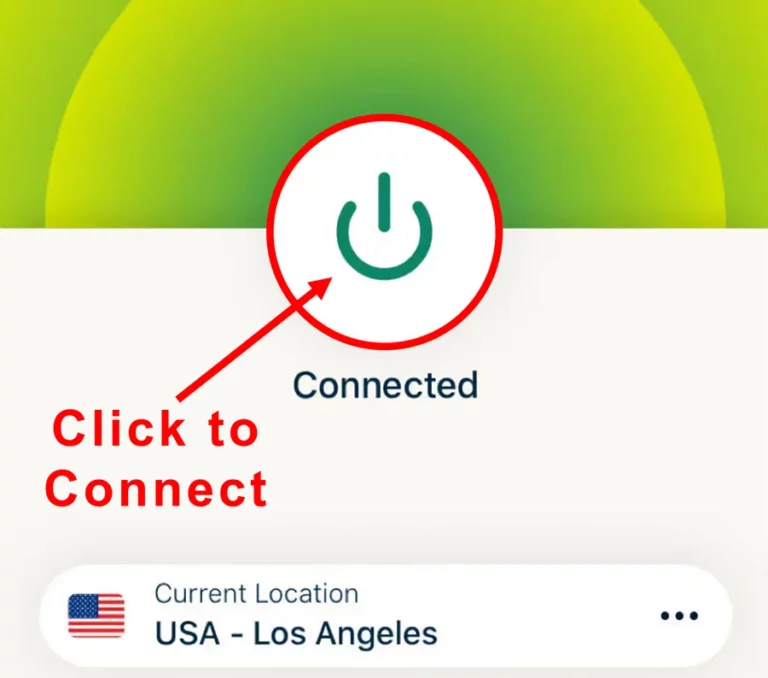
Step 3 Click the Power icon to connect
Your connection is now secure with the fastest and best VPN for FireStick.
The following are the steps to install ExpressVPN VPN on your Fire TV devices. If you have other streaming devices, follow Step 1-3 above.
-
Step 4 Subscribe to ExpressVPN
Subscribe HERE (if not subscribed already).
-
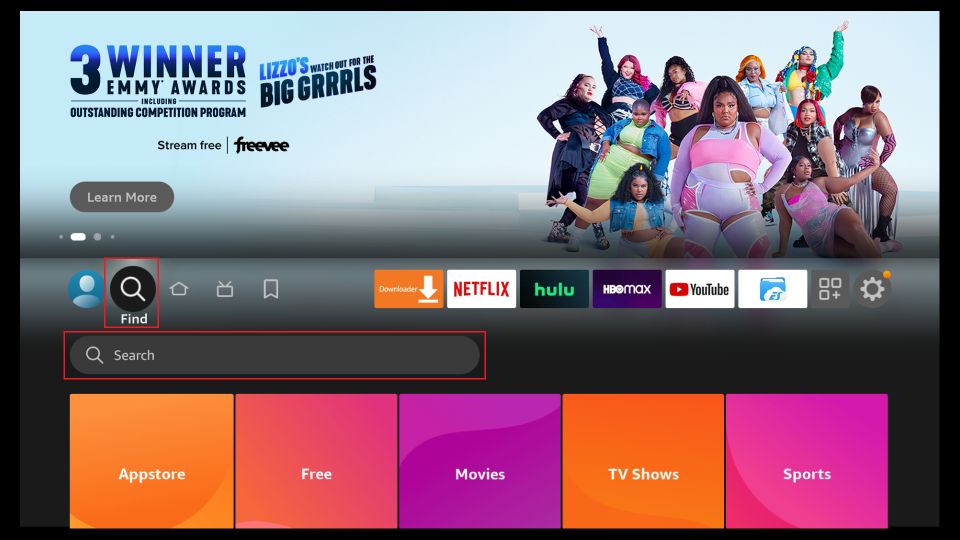
Step 5 Go to Fire TV Stick home screen.
Click Find followed by Search option (see image below).
-
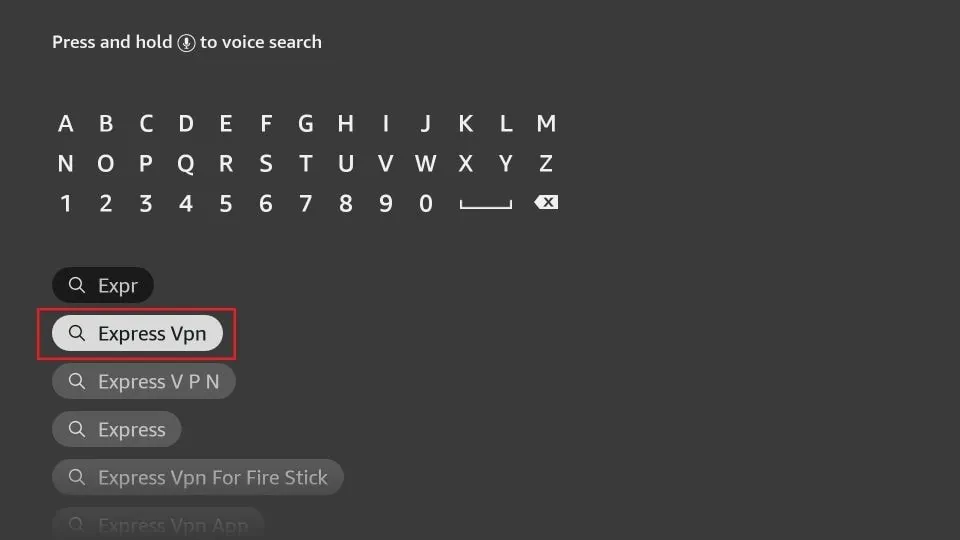
Step 6 Type Expressvpn in the search bar and select when it shows up
-
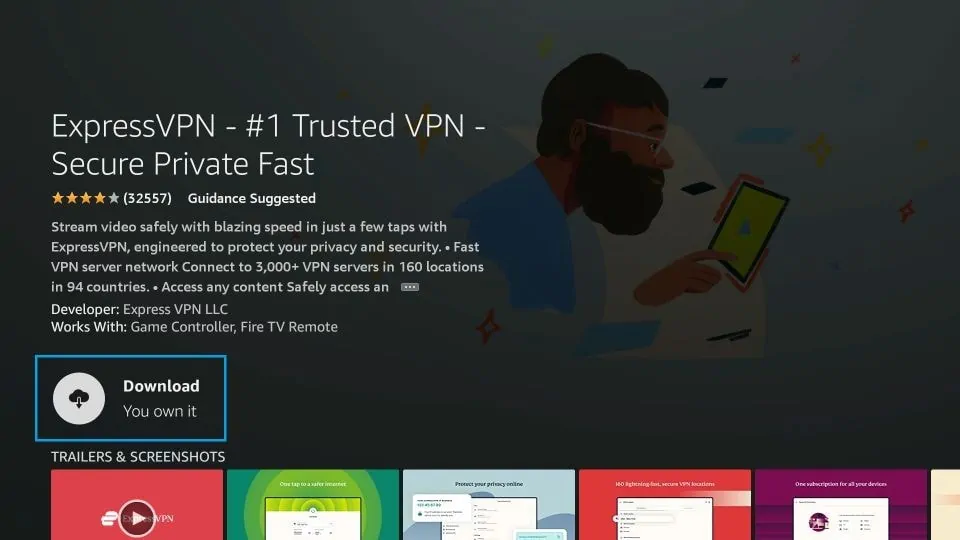
Step 7 Click Download
-
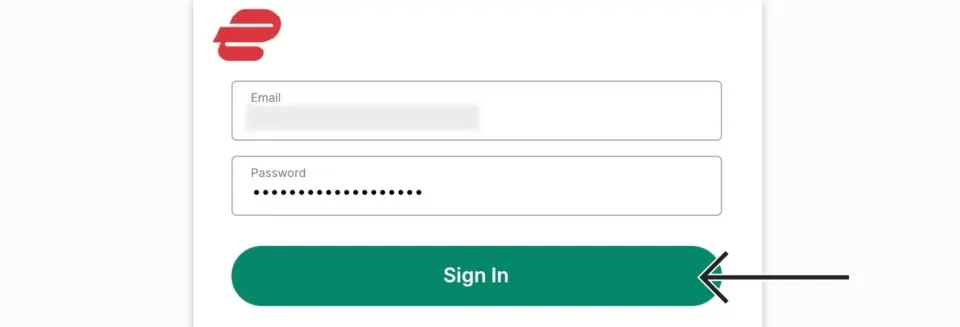
Step 8 Open the ExpressVPN app
Sign in using the email ID and password that you created while buying the ExpressVPN subscription.
-
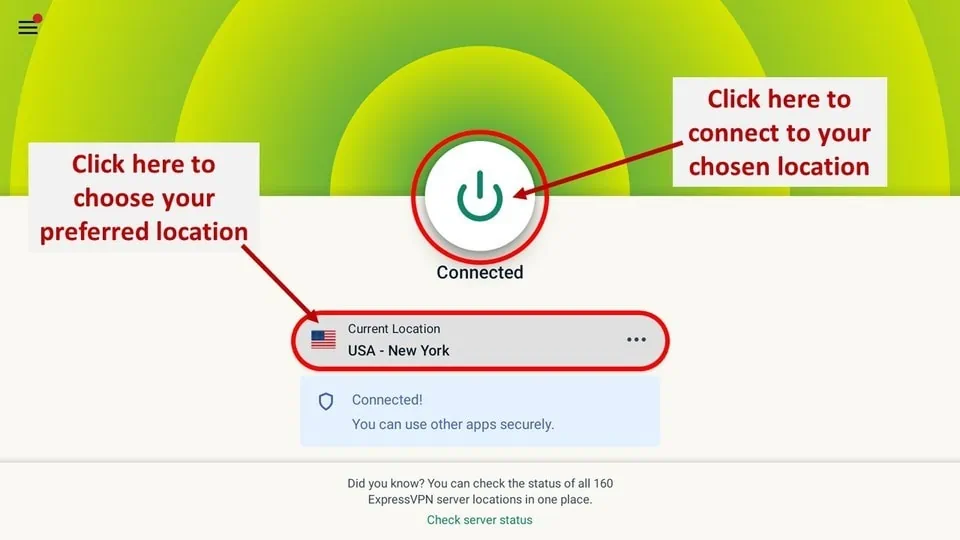
Step 9 Click the Power icon to connect to a VPN server.
That’s all. Your FireStick is now secured with the fastest VPN.
How to Activate NBC on FireStick
To get full access to the NBC app on FireStick, you’ll need to activate it using either an NBCUniversal profile or a supported TV provider. Here’s how you can complete the activation process:
- 1. Press and hold the Home button on your FireStick remote until a menu appears. Then, select Apps.
- 2. Locate the NBC app from your installed applications and open it. On first launch, the app may take a few moments to load.
- 3. Once the app opens, navigate to the My Account option located in the top-right corner of the screen.
- 4. Next, select My Profile. You’ll now see two ways to activate: NBCUniversal Profile or TV Provider.
How To Fix NBC on a FireStick
Getting your NBC fix on a FireStick shouldn’t feel like a chore, but let’s be honest, activation screens are the modern equivalent of waiting for dial-up. Extensive research into user frustrations suggests that the process is actually pretty straightforward once the “tech tax” is paid.
- The NBCUniversal Profile Route Existing account holders should just hit “Sign In” and grab a secondary device because nobody wants to type an email address with a TV remote. Head over to nbc.com/activate, punch in that specific code staring at you from the TV, and follow the prompts until the digital handshaking is complete.
- The Provider Link Shortcut For those still tethered to traditional cable or a streaming bundle, selecting “Link” is the play. A quick scroll through the “Popular Providers” usually does the trick, but if the local company is being elusive, the “Search Full List” tool is surprisingly competent at digging them up.
- The Credential Hurdle Logging in requires those provider credentials most people haven’t looked at in three years. If the password has vanished into the void, a quick call to customer support is the only way to recover that data and finally unlock the live streams and on-demand library.
- The Final Payoff Once the backend systems finally decide to cooperate, the FireStick essentially becomes a portal to everything from live sports to those binge-worthy dramas. It is a bit of a dance, but successfully linking the account beats staring at a “Log In to View” prompt any day of the week.
How to Use the NBC App on FireStick
Getting the NBC app running on a FireStick is mostly about navigating a digital labyrinth that is surprisingly well-organized once the initial “where am I?” feeling fades. Deep dives into the user interface suggest that while it looks like a lot, it actually flows quite logically if one ignores the constant temptation to just buy everything.
- The Quick Launch Ritual Instead of digging through settings, just hold that Home button until the shortcut menu appears like a helpful ghost. Head into the Apps section and hunt down the NBC tile; once it finally boots up, the Home tab becomes the central hub for everything from mindless background noise to actual premium drama.
- The Freebie Lane and Trending Traps Scroll down to “Watch for Free” if the goal is to avoid the login screen entirely—it’s the perfect spot for those who just want to stream without handing over a soul or a password. Just below that is “Trending Now,” which is basically a popularity contest where the best stuff usually requires a TV provider login to actually play.
- Peacock Previews and The Browse Deep-Dive There’s an “Explore Peacock” section that functions like a high-end appetizer tray; it’s a taste of the full service but mostly exists to make people want the full buffet. Jumping over to the Browse tab is where the real filtering happens, allowing for a deep dive into “Popular” hits or specific genre rabbit holes like “Bingeworthy” for those committed to a long night.
- The Network Filter and Live Reality Filtering by specific networks like Bravo or SYFY is honestly the only way to avoid visual clutter when looking for a very specific vibe. For those craving the adrenaline of real-time TV, the LIVE tab at the top provides that old-school broadcast feeling, assuming the internet connection is actually behaving.
- Hunting for Hidden Gems The Networks tab is essentially a mall of content where one can get lost in dedicated pages for every NBC-owned channel. If specific titles are elusive, hitting that magnifying glass on the far right and typing something like “SNL” reveals just how massive the archive really is, turning the search bar into a time machine for classic sketches.
How to Watch NBC Without a TV Provider Subscription
No cable subscription? No problem—NBC isn’t locked behind a traditional TV provider anymore, and honestly, that whole “sign a contract and pray you can cancel” era deserves to stay in the past. NBC shows and live content can still be streamed on Fire TV using a bunch of popular month-to-month services that don’t trap you long-term, so it’s more like “subscribe, watch, cancel whenever” instead of a lifetime commitment.
1. Sling TV
Sling TV is basically one of the few “no-cable” streaming services that doesn’t feel like a scam dressed up as convenience—because it actually gives you live NBC (depending on where you live, because of course nothing can ever be simple) plus solid on-demand stuff like SNL.
The Voice, and even CNBC for those random days when pretending to be financially responsible feels oddly comforting; and the fun part is it’s not just NBC either—Sling throws in a bunch of major channels like ABC, CNN, Fox News, and even MLB coverage without immediately slapping you with an “add-on fee,” which in today’s streaming universe is basically a miracle.
The plans are straightforward enough to not ruin your mood: Orange or Blue are $35/month each—Orange is more “family + NCAA football energy,” while Blue leans harder into pro sports and news obsession—and if going all-in sounds tempting, Orange + Blue is $50/month, packs up to 51 channels, and lets three people stream at once, which honestly saves relationships.
2. fuboTV
Available in the U.S., Canada, and Spain, fuboTV is basically the go-to streaming service for sports lovers (and yes, it’s kind of obsessed with sports—in a good way), but it also sneaks in a surprisingly solid lineup of NBC networks like NBCSN, SYFY, USA, NBC Golf, and Bravo, so it’s not just nonstop highlights and shouting commentators; depending on where you live, it delivers 100+ local channels, and in some U.S. areas it even balloons into 200+ local and international channels, which honestly feels like the streaming version of showing up for one snack and accidentally walking out with a full buffet.
fuboTV offers four plans:
- Starter: $64.99/month
- Pro: $69.99/month (includes 1,000 hours DVR and 10 simultaneous streams)
- Elite: $79.99/month (165+ channels + 45 from fubo Extra, 1,000 hours DVR, 10 streams)
- Latino Plus: $32.99/month
3. Hulu + Live TV
Hulu + Live TV is a pretty easy win if NBC channels are the goal—it covers the big ones like USA, SYFY, E!, MSNBC, and Bravo, plus you get live and on-demand NBC shows and movies, so there’s no “wait, where did that episode go?” moment. On top of that, it packs 75+ major channels across sports, news, and entertainment, and throws in Hulu Originals, which honestly makes it feel less like just live TV and more like a full streaming setup. Pricing starts at $54.99/month for the first 3 months, then bumps to $64.99/month, with a 7-day free trial to test the waters—no hidden fees, no installation nonsense, and no long-term commitment breathing down anyone’s neck. And if extra screens or movie add-ons are needed, those can be tacked on too.
4. YouTube TV
YouTube TV is one of those “set it and forget it” streaming services—available all across the U.S., loaded with 85+ popular channels spanning entertainment, news, and sports, and it doesn’t try to trap anyone in a contract (love that). For $64.99/month, it delivers smooth HD streaming with NBC and other local channels, plus sports staples like NFL and MLB, which makes it feel like cable… minus the cable attitude. The real flex is the unlimited DVR storage, so binge-saving games and shows is basically effortless, and features like pause, rewind, and fast-forward work exactly the way they should (finally). If the setup needs extra juice, add-ons like 4K streaming, offline downloads, and extra sports or entertainment bundles are there too.
Best NBC Alternatives 2026
- Kodi Karaoke 2026
- Watch BBC iPlayer 2026
- Catch-Up TV Free Streaming
- Streaming Fights on Demand Kodi Addon
- Nemesis AIO Kodi Addon 2026
Wrapping Up
This guide walked through installing and activating the NBC app on FireStick, and honestly, it’s one of those setups that sounds more complicated than it actually is (classic tech drama)—once it’s done, NBC becomes a super easy way to jump into your favorite shows, movies, and even live channels without bouncing between apps like a sleep-deprived squirrel; and here’s the best part: a TV provider subscription isn’t some “entry pass” you must have, because the streaming services mentioned above can still get NBC on your screen, which feels like a nice loophole in a world that loves paywalls—so if anything was confusing, didn’t work the way it should (because yep, streaming apps love acting up), or you’ve got a smarter tip to add, drop a comment below.