
Install & Watch Sportsnet NOW on FireStick: Sports and TV have been glued at the hip forever—there’s nothing quite like the panic of a last-second goal or the soul-crushing frustration when your team blows a lead (again, seriously). But let’s be real, the old cable setup is starting to feel like dial-up internet—slow, clunky, and expensive. Streaming has thrown open the doors to this chaotic new world where ESPN+, DAZN, BT Sports, and a dozen others are fighting for eyeballs, snacks, and half-finished beers on the couch.
How to Install Sportsnet NOW 2026 On FireStick
Now, Sportsnet NOW has jumped in, and honestly, it’s both exciting and overwhelming—like walking into a candy store after someone told you you can only pick one. For anyone who’s been burned by cable bills or missed games because of scheduling nightmares, this feels like freedom…if a little confusing freedom.
How to Install GoGoAnime Kodi Addon
What Is Sportsnet NOW 2026?
Think of this as an absolute glutton’s paradise for sports fans, a sprawling buffet loaded with everything from live games and slick highlight reels to that obsessive, deep-dive analysis we secretly love—basically, if a ball or puck moves, it’s on the menu. The heartbreaking snag here is that the doors are locked tight unless you’re physically in Canada, which feels like a personal attack on the rest of us, doesn’t it? Of course, for those willing to engage in a little creative digital gymnastics, a VPN is the trusty sledgehammer to break down that geo-wall; sure, it’s a nerdy hassle and adds an extra step to your lazy Sunday setup, but frankly, gaining access to that mountain of premium content is worth every second of the struggle.
Sportsnet NOW Subscription Plans
Alright, let’s talk numbers. Here’s what you’re looking at if you want to subscribe:
- SN NOW Standard – $14.99/month or $149.99/year
Includes NHL (in-market and national), MLB (Blue Jays), NBA (Raptors), curling, tennis, and more. - SN NOW Premium – $34.99/month or $249.99/year
Everything from the Standard plan, plus over 1,300 out-of-market NHL games (via NHL LIVE), rugby, Bundesliga, FA Women’s Super League, and even WWE Network. - WWE Network Only – $14.99/month
For the wrestling die-hards. Includes pay-per-views, RAW, SmackDown, NXT, documentaries — the whole shebang. - SN NOW + WWE Bundle – $24.99/month
The best of both worlds. Sports + Suplexes.
Supported Devices
You can watch Sportsnet NOW on pretty much anything that has a screen. Here’s the lineup:
- Desktop/Laptop (via browser)
- Smartphones & Tablets
- Apple TV, Android TV
- Amazon Fire TV & FireStick
- Xbox One, Series X/S
- PlayStation 4 & 5
- Samsung Smart TVs
- Ignite TV
- Google Chromecast
How to Install Sportsnet NOW 2026 On FireStick
Installing it is actually way easier than assembling IKEA furniture. Here’s how you do it:
- On your FireStick home screen, scroll to Find.
- Click Search and type in “Sportsnet NOW”.
- Select the app from the list — it should pop up under the Apps & Games section.
- Click Download or Get to install it.
- Once installed, open the app, sign in, and start watching!
How to Stream on FireStick with a VPN
Before you start streaming In Firestick, I would like to warn you that everything you stream on firestick is visible to your ISP and Government. This means, streaming copyrighted content (free movies, TV shows, live TV, and Sports) might get you into legal trouble.
Thankfully, there is a foolproof way to keep all your streaming activities hidden from your ISP and the Government. All you need is a good VPN for FireStick Streaming. A VPN will mask your original IP which is detecting… and will help you bypass Online Surveillance, ISP throttling, and content geo-restrictions.
I personally use and recommend ExpressVPN, which is the fastest and most secure VPN. It is compatible with all kinds of streaming apps and devices.
NOTE: We do not encourage the violation of copyright laws. But, what if you end up streaming content from an illegitimate source unintentionally? It is not always easy to tell the difference between a legit and illegal source.
So, before you start streaming on FireStick, here's how to get VPN protection in 3 simple steps.
-
Step 1 Get the ExpressVPN subscription
Get it HERE. It comes with a 30-day money-back guarantee. Meaning, you can use it free for the first 30-days and if you are not satisfied, you can ask for a full refund.
-
Step 2 Download and install the ExpressVPN app
Click HERE to download and install the app on your streaming device. If you are using a FireStick, I have given the exact steps starting with Step 4 below.
-
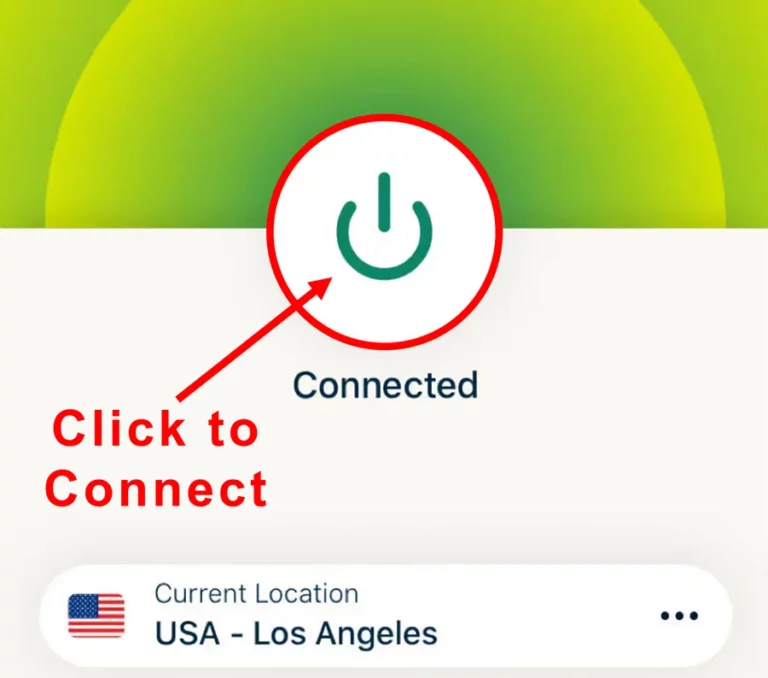
Step 3 Click the Power icon to connect
Your connection is now secure with the fastest and best VPN for FireStick.
The following are the steps to install ExpressVPN VPN on your Fire TV devices. If you have other streaming devices, follow Step 1-3 above.
-
Step 4 Subscribe to ExpressVPN
Subscribe HERE (if not subscribed already).
-
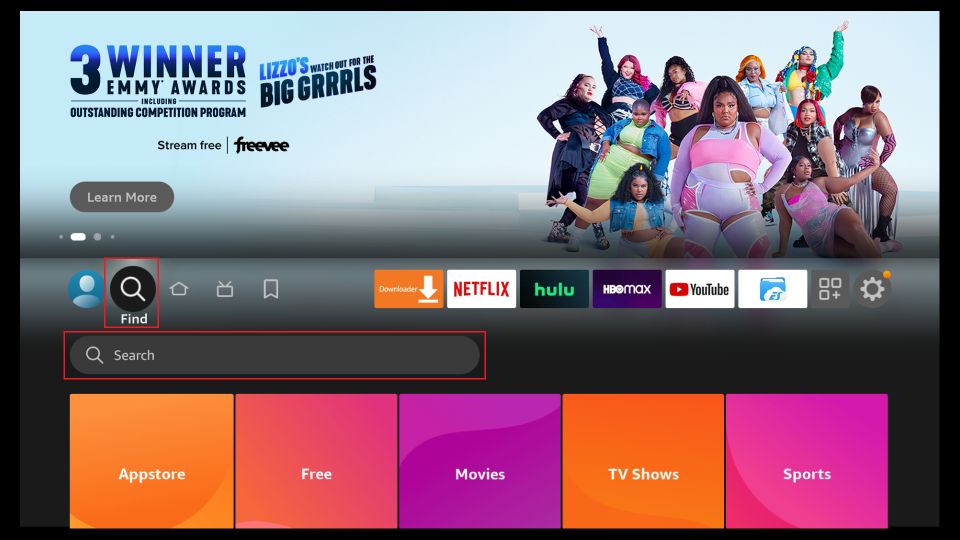
Step 5 Go to Fire TV Stick home screen.
Click Find followed by Search option (see image below).
-
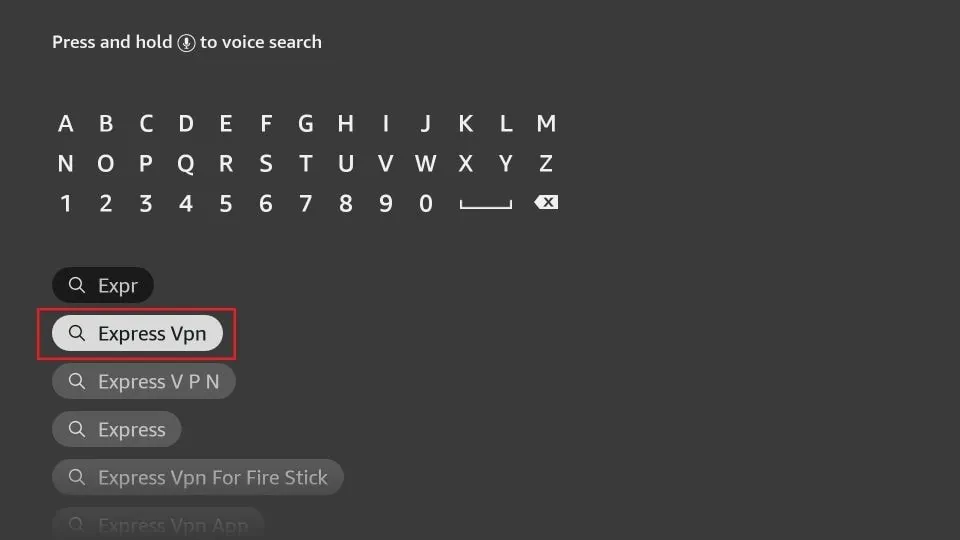
Step 6 Type Expressvpn in the search bar and select when it shows up
-
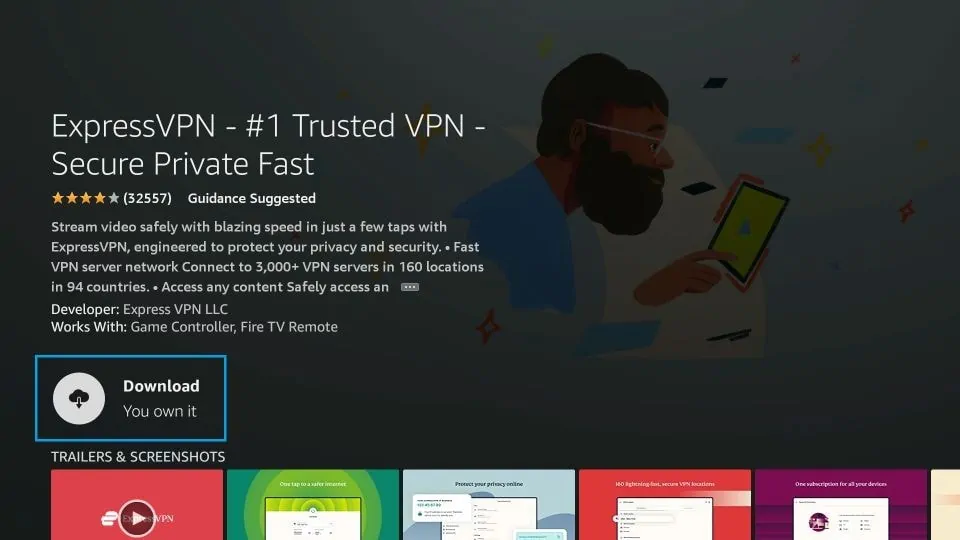
Step 7 Click Download
-
Step 8 Open the ExpressVPN app
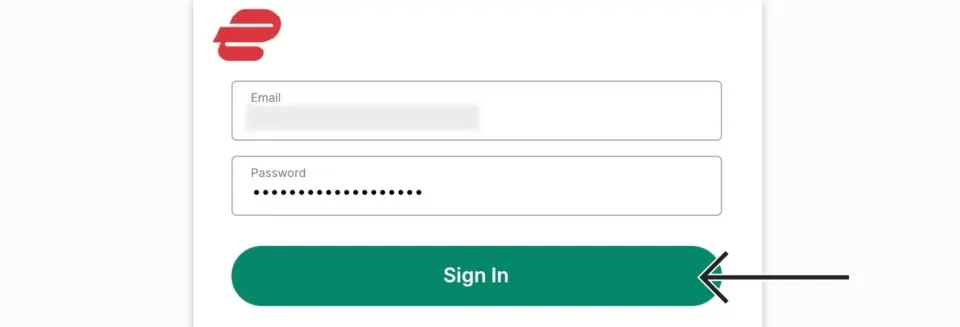
Sign in using the email ID and password that you created while buying the ExpressVPN subscription.
-
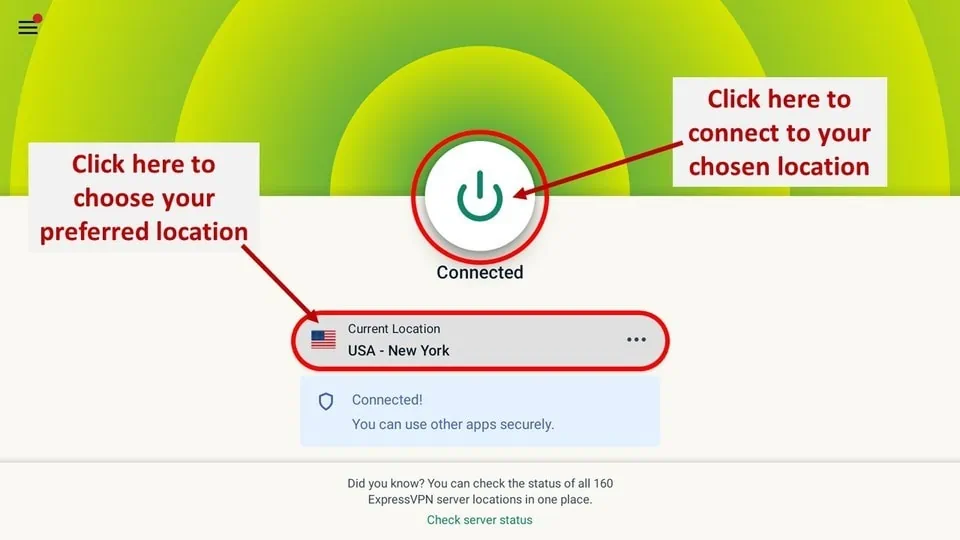
Step 9 Click the Power icon to connect to a VPN server.
That’s all. Your FireStick is now secured with the fastest VPN.
How to Set Up Sportsnet NOW on Your FireStick
- Bouncing between sports apps is a quiet kind of chaos, so parking Sportsnet NOW on the FireStick home screen feels like reclaiming a little sanity
- Digging through menus every puck drop is a patience test nobody signed up for
Pin Sportsnet NOW to the FireStick Home Screen
- From the home screen, slide over to See All at the end of Your Apps & Channels
- Scroll until Sportsnet NOW shows up, probably hiding near an app you downloaded once and instantly forgot
- Hit the menu button on the remote, the three-line one that always feels underused
- Choose Move and drag the app up to the top row where it actually belongs
- Drop it somewhere memorable, ideally near Netflix, because realism matters
- Press Select and lock it in, no ceremony needed
Setting Up Sportsnet NOW
- Before anything plays, the account wall appears, predictable but necessary
- Open a browser on whatever device is closest, phone, laptop, half-dead tablet
- Go to the official Sportsnet NOW site and tap Sign In
- Look for the tiny Click Here link to register, easy to miss, easier to curse
- Enter the basics, name, email, password, mild surrender of personal data
- Pick a plan, Premium if choices are your thing, then finish the/hooks
Logging In on FireStick
- Open the app from its new, well-earned home screen spot
- Slide down the left menu and select Sportsnet NOW
- Choose Sign In, then Sign in with your Sportsnet NOW account
- If subscribed through Rogers, Shaw, or Bell, use TV Provider Sign-In instead
- Outside Canada means reality check time, VPN on or the stream stays dark
- Once it’s set, it stays out of the way, which is the whole point
- Less friction, fewer clicks, more time actually watching the game
- Small setup, noticeable payoff, and one less thing to think about on game night
What’s Inside Sportsnet App?
Once you’re in, the layout’s pretty straightforward. Here’s a quick tour:
- Home: This is your dashboard — catch Top Videos, Live NHL/MLB/NFL games, and original content. Think of it as the sports bar of the app.
- Highlights: Great if you missed the game (or just want to relive that 9th inning homerun without the stress). News, replays, buzzer-beaters — it’s all here.
- Schedule: Literally a calendar for all upcoming games — NHL, NBA, MLB, Rugby, Soccer, WWE… if it moves, it’s on the schedule.
- Replays: For those of us who fall asleep before the 3rd period. Yes, I’m calling myself out.
- Shows: Original series and documentaries. A nice bonus if you’re into behind-the-scenes stuff.
- Settings: Boring but important — manage your subscription, account info, and log-ins here.
Navigation is smooth, and honestly, the app runs way better than some of the other sports apps I’ve tried (looking at you, glitchy MLB app circa 2021).
Best Sportsnet Alternatives 2026
- Best StreamEast 2026
- Crew Kodi Addon 2026
- DramaCool Kodi Addon 2026
- Best Kodi Alternatives For Streaming
- Fox Sports Kodi Addon
- Wrestlers Kodi Addon 2026
Final Thoughts of How to Install Sportsnet NOW
So, is Sportsnet NOW worth it? If you’re a die-hard fan of Canadian sports or just love having access to multiple leagues under one roof — yes, absolutely. The UI is clean, the content is stacked, and it’s one of the better sports apps out there right now. The only downside? It’s Canada-only — unless, of course, you’re savvy enough to use a VPN (which, let’s be real, you probably are if you made it this far). Set it up right, and Sportsnet NOW turns your FireStick into a mini sports universe. Now go enjoy the game — you’ve earned it.