
Install Superman Kodi Build on Any Device: Getting the Superman Kodi Build running is surprisingly painless, and it works on almost anything with Kodi 21 Omega or 20 Nexus—whether it’s a worn-out PC, a FireStick that’s barely hanging on, or some forgotten Android tablet. What makes it stand out isn’t just the flashy look; it actually feels like someone cared about how humans, not robots, navigate a streaming setup. Menus are smooth, shortcuts actually make sense, and for a change, Kodi doesn’t feel like a chaotic experiment but like a carefully assembled little spaceship for binge-watching. It’s not flawless—addons throw tantrums, things lag—but when it clicks, it’s unexpectedly satisfying, and somehow makes the endless scrolling and setup headaches worth it.
How To Access Roku Porn Channels
What is Superman Kodi Build?
Superman is basically an all-in-one Kodi build you grab from cMaN’s Wizard Repository, and it somehow manages to play nice with both Kodi 20 Nexus and 21 Omega without throwing a tantrum. It’s packed with a ridiculous number of video addons—live TV, movies, shows, sports, music, adult stuff, you name it—so it’s like a Swiss Army knife for streaming chaos. Some of the crowd-pleasers inside are Shadow, Asgard, Fen, Cumination, Patriot, Fights on Demand, Daddy Live, and Mad Titan Sports, and while it’s not perfectly polished (because when is any all-in-one ever totally smooth?), it’s impressively convenient for anyone tired of juggling a dozen separate addons just to watch something without losing their mind.
One of the standout things about Superman is how surprisingly user-friendly it is—beginners won’t feel like they’re navigating a spaceship full of blinking buttons. The interface is clean, sections are clearly labeled, and the search function actually works, which is a blessing when hunting for movies, TV shows, sports, music, or even the “adult only” section without losing your mind. Categories are straightforward—Movies, TV Shows, Free, Sports, Music, Live, and, yes, Adult—and it even plays nicely with Real Debrid if premium streaming links are your thing. It’s not perfect—menus can lag and sometimes links misbehave—but for a one-stop Kodi build, it’s legitimately one of the better options out there.
Is Superman Kodi Build Safe and Legal?
Superman Kodi Build comes with the usual “third-party repository” warning lights—you know, the stuff that makes anyone with a shred of caution pause—but a quick VirusTotal scan of its host repo didn’t flag anything sketchy, so it seems relatively safe to tinker with. Legally, though, it’s a gray area: it’s not in Kodi’s official repository and streams free content that could technically be copyrighted. That said, this isn’t an endorsement of piracy—far from it—but if diving into third-party builds is on the menu, a solid VPN like is basically non-negotiable. It keeps your data private, hides streaming activity from prying eyes, and for sheer reliability, ExpressVPN tends to be the go-to choice. Imperfect? Sure. Risk-free? Not really. But handled cautiously, it’s manageable.
Download Superman Kodi Build APK
The installation process can be broken down into four key steps:
- Enable installation from Unknown Sources
- Add the repository URL
- Install the repository
- Install the Superman Build
Each step is accompanied by screenshots to guide you through the process on your device.
Enable Installation from Unknown Sources
In this step, you’ll grant Kodi permission to install third-party builds.
- From Kodi’s home screen, click on the Settings icon.
- Select the System option.
- Navigate to the Add-ons tab and toggle Unknown Sources to ON.
- When prompted, accept the warning by selecting Yes. Return to the home screen.
Add the Repository Source
Next, you’ll add the repository URL to Kodi to access the Superman build.
- Click the Gear Icon (Settings).
- Open File Manager.
- Select Add Source (on PC, double-click this option).
- Click on <None> to enter the source URL.
- Enter the repository URL:
http://cmanbuilds.com/repoand click OK. - Click the box labeled Enter a name for this media source.
- Type a name for this source, such as Cman, then click OK.
- Click OK again to confirm.
- The new source will now appear in your list of file sources.
Install the Repository
Now, install the cMan Builds Repository which hosts the Superman Kodi Build.
- Go to Settings.
- Select Add-ons.
- Choose Install from zip file.
- Select the source name you added (e.g., Cman).
- Click on
repository.cMaNWizard-X.X.zipand wait for the repository installation to complete. - A notification will confirm cMaN’s Wizard Repository Add-on installed.
How to Install Superman Kodi Build 2026
Finally, install the Superman Build from the cMaN’s Wizard Repository.
- Open Settings again.
- Click on Add-ons.
- Select Install from repository.
- Choose cMaN’s Wizard Repository.
- Click Program add-ons.
- Select CMan and SG Builds Gui Wizard.
- Click Install and wait for the installation message to appear.
- When prompted, enable the desired settings for the Superman Kodi Build and click Continue.
- Select Build Menu.
- Click on Builds.
- Scroll through the list and choose Superman Omega (or the version matching your Kodi). Then select Fresh Install.
- Confirm by selecting Yes to wipe your current build and install Superman Omega.
- If using Kodi 20 Nexus, you may see a warning; click Yes, Install.
- Wait while the build downloads.
- Allow additional time for the installation to complete.
- Click OK to finish and close the setup screen.
How to Stream on FireStick with a VPN
Before you start streaming In Firestick, I would like to warn you that everything you stream on firestick is visible to your ISP and Government. This means, streaming copyrighted content (free movies, TV shows, live TV, and Sports) might get you into legal trouble.
Thankfully, there is a foolproof way to keep all your streaming activities hidden from your ISP and the Government. All you need is a good VPN for FireStick Streaming. A VPN will mask your original IP which is detecting… and will help you bypass Online Surveillance, ISP throttling, and content geo-restrictions.
I personally use and recommend ExpressVPN, which is the fastest and most secure VPN. It is compatible with all kinds of streaming apps and devices.
NOTE: We do not encourage the violation of copyright laws. But, what if you end up streaming content from an illegitimate source unintentionally? It is not always easy to tell the difference between a legit and illegal source.
So, before you start streaming on FireStick, here's how to get VPN protection in 3 simple steps.
-
Step 1 Get the ExpressVPN subscription
Get it HERE. It comes with a 30-day money-back guarantee. Meaning, you can use it free for the first 30-days and if you are not satisfied, you can ask for a full refund.
-
Step 2 Download and install the ExpressVPN app
Click HERE to download and install the app on your streaming device. If you are using a FireStick, I have given the exact steps starting with Step 4 below.
-
Step 3 Click the Power icon to connect
Your connection is now secure with the fastest and best VPN for FireStick.
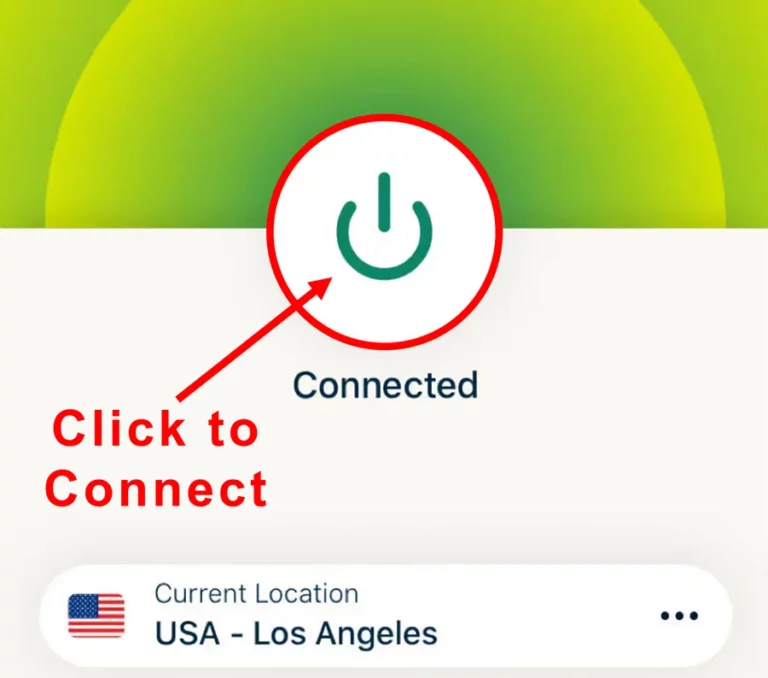
The following are the steps to install ExpressVPN VPN on your Fire TV devices. If you have other streaming devices, follow Step 1-3 above.
-
Step 4 Subscribe to ExpressVPN
Subscribe HERE (if not subscribed already).
-
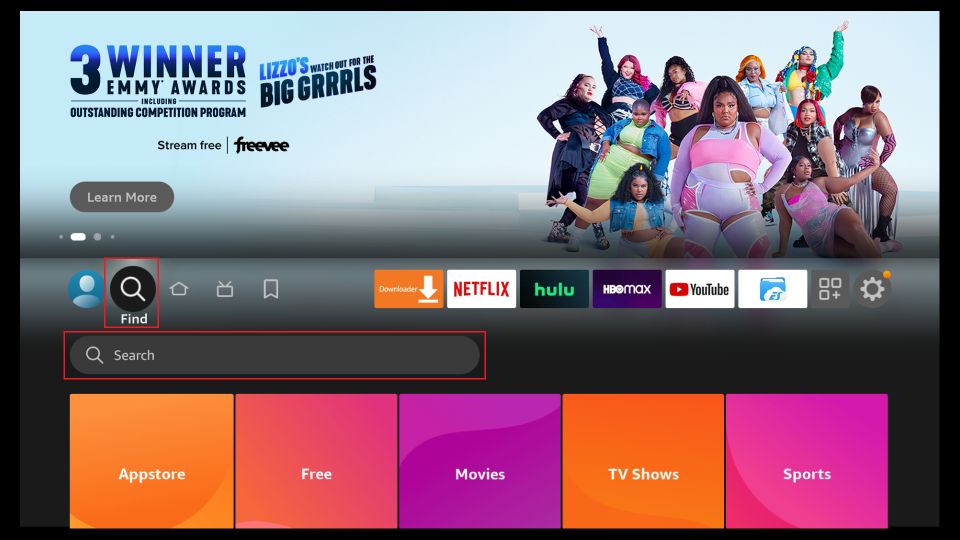
Step 5 Go to Fire TV Stick home screen.
Click Find followed by Search option (see image below).
-
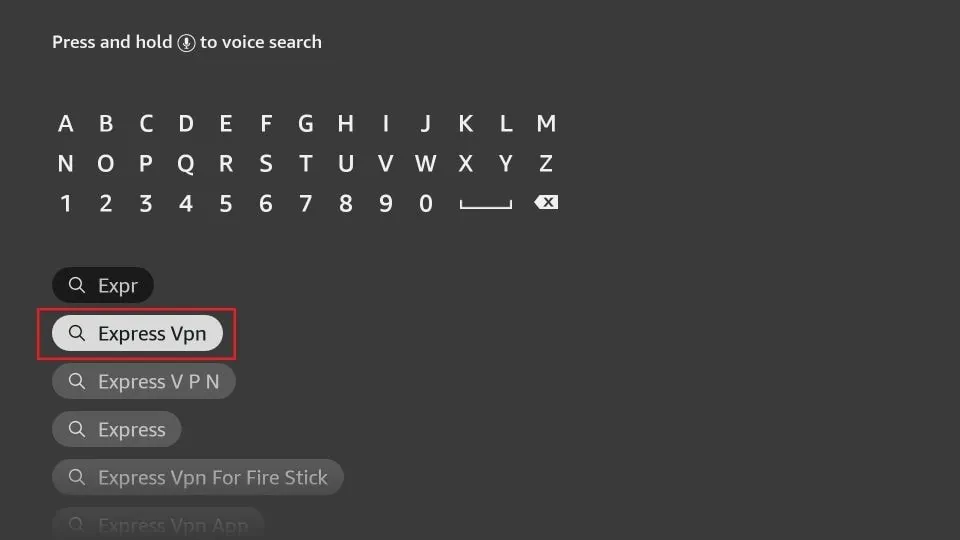
Step 6 Type Expressvpn in the search bar and select when it shows up
-
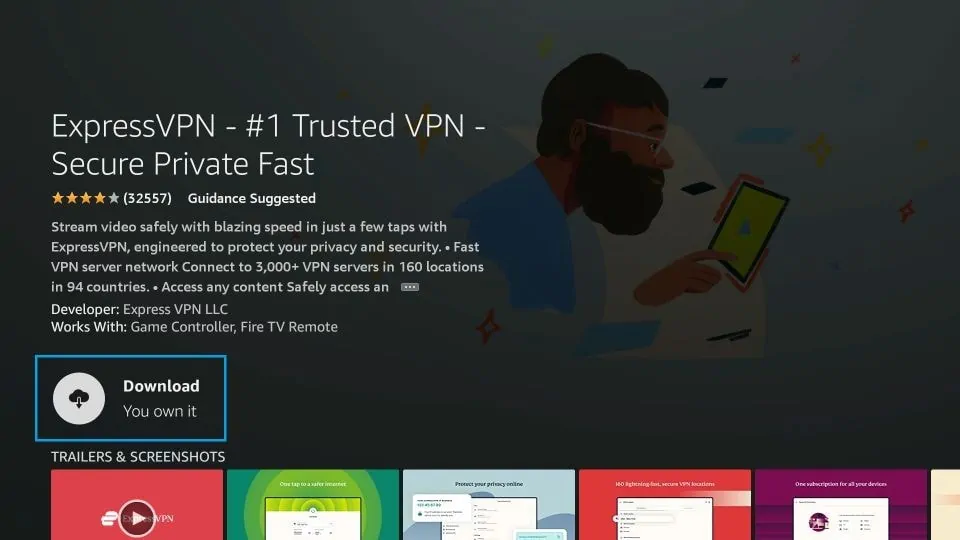
Step 7 Click Download
-
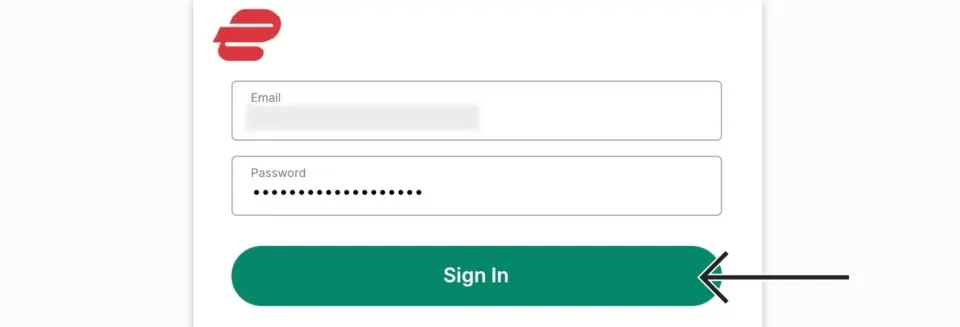
Step 8 Open the ExpressVPN app
Sign in using the email ID and password that you created while buying the ExpressVPN subscription.
-
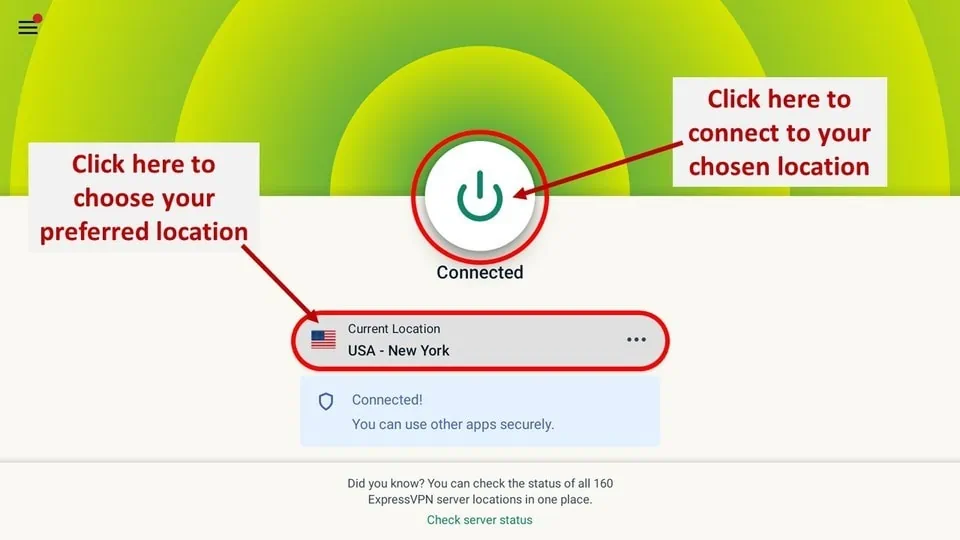
Step 9 Click the Power icon to connect to a VPN server.
That’s all. Your FireStick is now secured with the fastest VPN.
Overview of the Superman Kodi Build
Superman Kodi Build features a colorful and user-friendly interface with the main menu located on the left side of the screen. Menu options include:
- Search
- Movies
- TV Shows
- 4K
- Live
- Sports
- Family/Kids
- Addons
- Favorites
Click a category and the right side instantly fills up—watching it load is oddly satisfying. Pick TV Shows and a mix of gems and “meh” series shows up; hover around and the highlighted picks practically scream for attention. The Music tab is a guilty pleasure buffet: R&B Classic Jam, Country’s Finest, and all those Greatest Hits that somehow never get old. Searching is dead simple—type a keyword, hit Done, and boom, it’s there. And the Power menu? Pure chaos-control bliss: Exit, Settings, Reload Skin, Power Off, Suspend, Hibernate, Reboot, even a Custom Shutdown Timer—basically, a nerdy’s playground for anyone who secretly loves fiddling with options.
How to Integrate Real-Debrid into Superman Kodi Build
Real-Debrid helps you stream high-quality videos with minimal buffering. Follow these steps to link your Real-Debrid account with the Superman Kodi Build:
- Head over to Real-Debrid and pick a plan that doesn’t make your wallet cry.
- Fire up Kodi, open the Superman Build, and hit the Settings tab on the home screen—yes, that little gear icon is actually useful.
- Click SYSTEM SETTINGS, because we’re going deep now.
- Jump into ADD-ONS, then MANAGE DEPENDENCIES—it sounds fancy, but it’s just making sure everything talks to each other.
- Track down RESOLVEURL and click CONFIGURE. This is where the magic (or confusion) begins.
- Find S2 UNIVERSAL RESOLVER and hit (RE)AUTHORISE MY ACCOUNT—don’t worry, it’s painless.
- A code will pop up on your screen. Write it down somewhere because brain fog happens.
- On your phone or computer, go to https://real-debrid.com/device, punch in that code, click Continue, and breathe a small sigh of triumph.
Best Superman Kodi Build Alternatives 2026
- Cinema HD APK on FireStick 2026
- Today Updates With News On Kodi Addon
- Free Streaming With Best Downloader Codes 2026
- Watch NBC on FireStick 2026
- Access BeeTV APK 2026 on Android TV
Wrapping Up
Getting the Superman Kodi Build up and running with Real-Debrid is honestly less intimidating than it looks if each step is tackled one at a time—yeah, the instructions are a bit long, but nothing that can’t be handled with a cup of coffee and a little patience.
What’s really fun about Superman Build is how absurdly packed it is—movies, TV shows, sports, music, and, yes, some adult stuff too—basically, it feels like a digital Swiss Army knife.
Some of the addons are hit-or-miss, but when they hit, it’s pure gold, and the Real-Debrid integration just makes streaming smoother than it probably has any right to be. Definitely worth poking around, messing up a click or two, and discovering a hidden gem or two along the way.