Install EzzerMacs Kodi Builds on FireStick: Look, I’m just going to rip the band-aid off: the EzzerMacs build is officially down for the count right now, which is a massive bummer. If you value your sanity and want a setup that actually plays something tonight, you’re way better off skipping the drama and grabbing one of the working builds from the list instead. That said, this guide is still up for the die-hard tinkerers or the morbidly curious who insist on seeing where the tracks run out—just don’t be surprised when you run face-first into that digital brick wall.
What is EzzerMacs
For the fellow nerds who treat configuring media centers like a competitive sport, EzzerMacs was basically the promised land; it was an absolute buffet offering everything from featherweight builds for that wheezing, dusty FireStick to heavy-duty monsters for a tricked-out PC. It’s genuinely depressing that it’s mostly just a digital memory now, sort of like a favorite dive bar that closed down. But hey, logic be damned—let’s run through the installation steps anyway, just in case a miracle happens or an archived file decides to load, because sometimes the chase is just as fun as the catch.
Read: How To Install Crew Kodi Addon
Plutonium Build From EzzerMacs Wizard
We’re dragging the Plutonium Build from EzzerMan’s Wizard out for a spin as the crash test dummy here—mostly because it’s a classic—but let’s be real: even if that specific setup is dead on arrival, the actual muscle memory for installing it applies to basically anything else lurking in that repo. Consider this a blueprint for the madness, just keep your expectations low and be ready for the inevitable trial and error that comes with digging around in these digital graveyards, which is basically the unofficial hobby of Kodi users anyway.
How To Install EzzerMacs Wizard
- Fire up Kodi and tap that tiny gear icon on the home screen — the one everyone pretends they don’t squint at.
- Head into System, then slide over to Add-ons on the left.
- Flip Unknown Sources ON.
- That warning pops up like it knows better — click Yes anyway. You’re not new here.
- Back out to Settings and open File Manager.
- Click Add Source.
- Hit <None> and type in: http://ezzer-mac.com/repo — slow down, one typo and you’ll hate yourself.
- Name it ezzer (nothing fancy, no overthinking).
- Click OK and move on with your life.
- Return to Settings > Add-ons.
- Select Install from zip file.
- If Kodi acts dramatic with a warning, accept it and keep going.
- Choose ezzer from the list.
- Click repository.EzzerMacsWizard.zip.
- Wait a beat — maybe two if your Wi-Fi is having feelings.
- Look for the install notification and enjoy that quiet little victory.
Downloading EzzerMan Wizard
- Now choose Install from repository.
- Click on EzzerMacs Wizard Repository.
- Go into Program add-ons.
- Select EzzerMan Wizard.
- Click Install.
- Wait for the “Addon installed” message to show up.
- When a popup appears, hit Next, then Dismiss. You’ll be choosing your build in a minute anyway.
Read: How To Install Best MethStreams Alternatives
Install EzzerMan Wizard To Your Build
- Head back to Kodi’s home screen. Under Add-ons, scroll to Program add-ons.
- Open EzzerMan Wizard, then click Builds.
- Pick a build (I’m going with Plutonium here because I like things flashy).
- Click Fresh Install – this wipes everything clean and starts fresh. It’s usually the better move.
- Confirm by clicking Yes and then again on Yes Install.
- Once it’s done installing, click OK to force-close Kodi. When you reopen it, your shiny new build should be ready to go.
So, even though EzzerMacs is currently pushing up daisies, don’t toss the playbook just yet because this process is basically the universal skeleton key for installing almost any wizard-based setup out there.
Honestly, the real grind isn’t the technical wizardry; it’s hunting down a build that hasn’t vanished into the digital void faster than free pizza at a LAN party—reliable links are rarer than a polite internet comment section these days.
Just keep your head on a swivel, keep that VPN locked tight so you aren’t broadcasting your habits to the world, and please, try to have a little mercy on your poor FireStick when it inevitably stutters; screaming at that overheating little plastic brick won’t make the buffer bar move any faster, much as we all wish it would.
How To USE EzzerMacs Wizard
The EzzerMacs Wizard provides tools to enhance your Kodi experience, from installing builds to maintaining performance.
Custom Builds
EzzerMacs Wizard offers access to numerous Kodi builds:
- Explore builds tailored for movies, sports, and TV shows.
- Use lightweight builds for lower-powered devices like Firesticks.
Maintenance Tools
The wizard includes essential maintenance features:
- Clear Cache: Improve performance by removing temporary files.
- Delete Thumbnails: Free up storage by removing unnecessary thumbnails.
- Backup and Restore: Create backups of your Kodi setup for easy restoration.
Optimizing EzzerMacs Wizard
Enable Notifications
Turn on notifications to stay updated on new builds, updates, and features:
- Go to the wizard’s Settings menu.
- Enable Show Notifications and save changes.
Configure Auto-Clean
Prevent lag by enabling auto-clean functions:
- In Settings, activate options for clearing cache and purging packages.
- Schedule automatic maintenance tasks for regular intervals.
How to Setup ExpressVPN
- Subscribe ExpressVPN first — it comes with a 30-day money-back guarantee.
- Download and install the ExpressVPN app on your device.
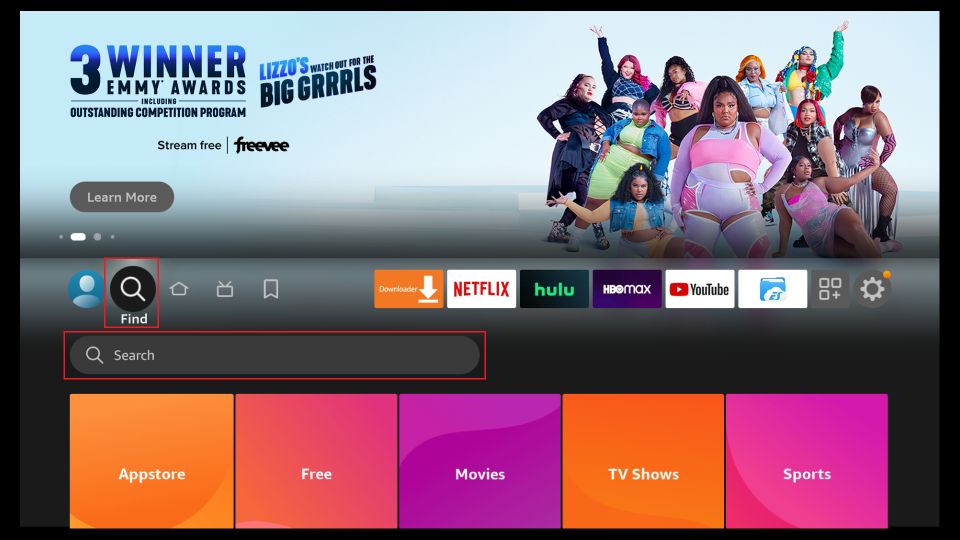
- On your FireStick home screen, go to Find → Search.
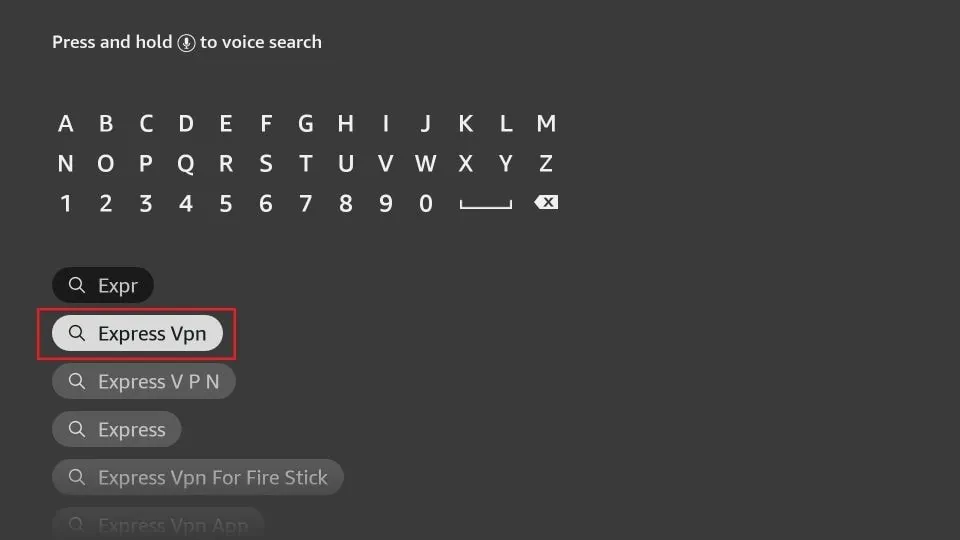
- Type ExpressVPN in the search bar and select it from the suggestions.
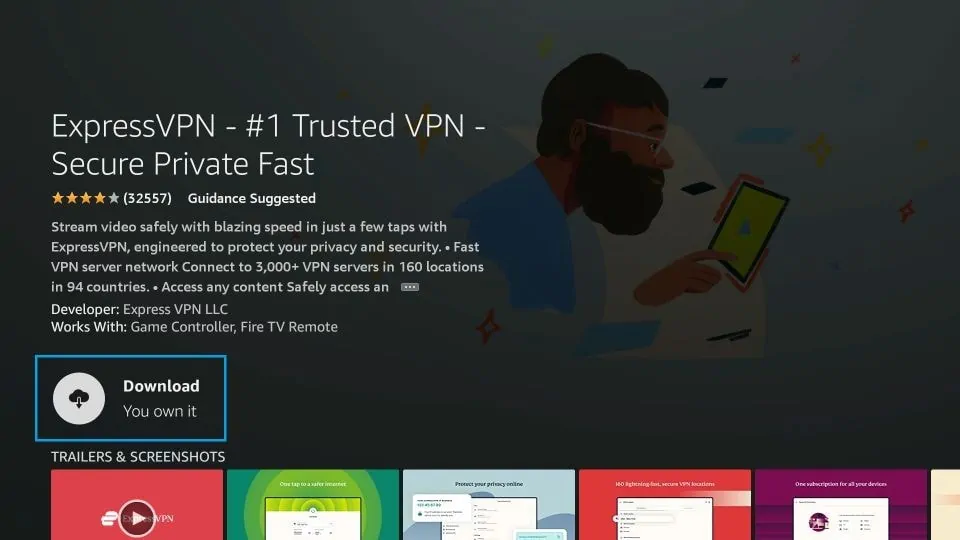
- Click Download and let it install.
- Create your ExpressVPN account and subscribe through their official signup page.
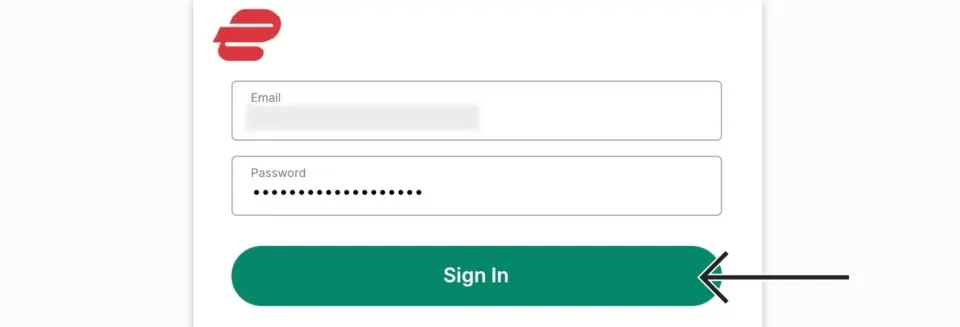
- Launch the app and log in using the same email + password you used when signing up.
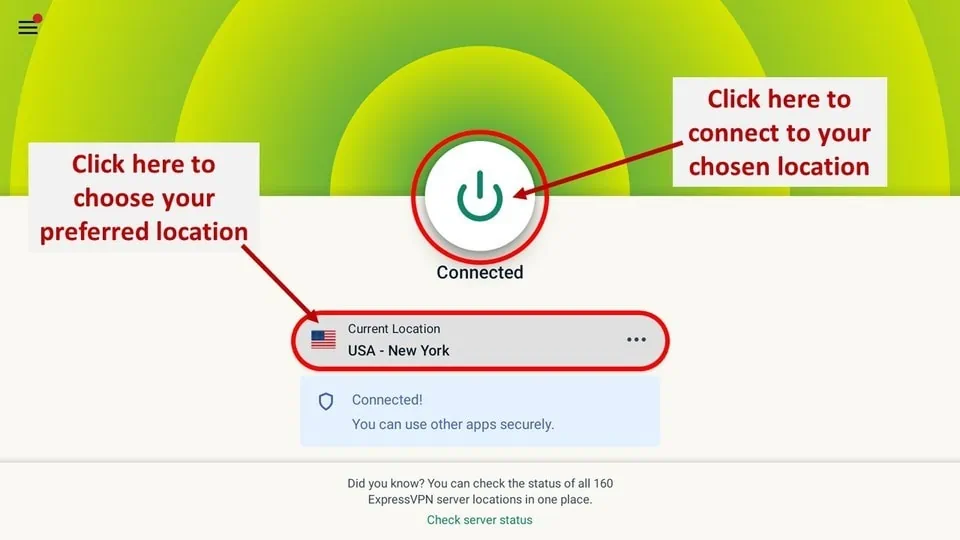
- Finally, press that big Power icon again to connect to the fastest available server — and you’re good to stream without feeling watched.
How to Install Frndly TV on FireStick
Plutonium Kodi Build 2026
Since Plutonium served as the guinea pig for this little experiment, we have to talk about why it actually works; it sticks to that classic, non-threatening layout with a massive menu bar slap-bang in the middle and submenus tucked underneath, which is honestly a godsend when you’re half-comatose at 2 AM and can’t even tell if the remote is facing the right way up. Thank the digital gods it isn’t bloated with a million broken addons just to look impressive—it keeps things lean with actual heavy hitters like Asgard, Q Continuum, and Black Lightning. That “quality over quantity” approach is rare, but it covers all the bases from sports to movies without turning your screen into a cluttered, lagging nightmare.
How To Troubleshoot Common Issues
Repository Not Installing
- Verify the URL for the repository is entered correctly.
- Ensure your internet connection is stable.
EzzerMacs Wizard Errors
- Clear Kodi’s cache and restart the application.
- Update the Repository to resolve compatibility issues.
Build Fails to Load
- Use a lightweight build for older devices.
- Reinstall the build if errors persist.
EzzerMacs Kodi Builds Alternatives 2026
- Diggz Xenon (Chef Wizard)
- Green Monster (The Crew)
EzzerMacs Kodi Builds VS Alternatives
|
Feature |
EzzerMacs Wizard |
Diggz Xenon (Chef Wizard) |
Green Monster (The Crew) |
|
Primary Appeal |
Variety & Choice. Dozens of builds for every device type. |
Futuristic AIO. One polished, feature-heavy experience. |
No-Nonsense Stability. Clean, dark, and extremely reliable. |
|
Build Library |
Huge (Plutonium, Q Continuum, Art Nouveau, etc.) |
Selective (Xenon Plus, Xenon Free, Xenon Debrid) |
Singular (focused primarily on Green Monster build) |
|
Best For |
People who like to switch builds frequently. |
High-end devices like Nvidia Shield or PC. |
Firestick users who want a set-it-and-forget-it setup. |
|
Unique Feature |
Includes both “In-house” and “Third-party” builds. |
Built-in Retro Gaming and “Debrid-only” lanes. |
Deep integration with The Crew sports/IPTV ecosystem. |
|
User Interface |
Varies (each build in the wizard looks different). |
Modern, dark theme with high-quality widgets. |
Professional, dark-green aesthetic; very organized. |
|
Maintenance |
Extensive “bloatware” cleaners & cache tools. |
Automated “Build Updates” via Chef Wizard. |
Minimalist maintenance; built for uptime. |
How to Stream on FireStick with a VPN
Before you start streaming In Firestick, I would like to warn you that everything you stream on firestick is visible to your ISP and Government. This means, streaming copyrighted content (free movies, TV shows, live TV, and Sports) might get you into legal trouble.
Thankfully, there is a foolproof way to keep all your streaming activities hidden from your ISP and the Government. All you need is a good VPN for FireStick Streaming. A VPN will mask your original IP which is detecting… and will help you bypass Online Surveillance, ISP throttling, and content geo-restrictions.
I personally use and recommend ExpressVPN, which is the fastest and most secure VPN. It is compatible with all kinds of streaming apps and devices.
NOTE: We do not encourage the violation of copyright laws. But, what if you end up streaming content from an illegitimate source unintentionally? It is not always easy to tell the difference between a legit and illegal source.
So, before you start streaming on FireStick, here's how to get VPN protection in 3 simple steps.
-
Step 1 Get the ExpressVPN subscription
Get it HERE. It comes with a 30-day money-back guarantee. Meaning, you can use it free for the first 30-days and if you are not satisfied, you can ask for a full refund.
-
Step 2 Download and install the ExpressVPN app
Click HERE to download and install the app on your streaming device. If you are using a FireStick, I have given the exact steps starting with Step 4 below.
-
Step 3 Click the Power icon to connect
Your connection is now secure with the fastest and best VPN for FireStick.
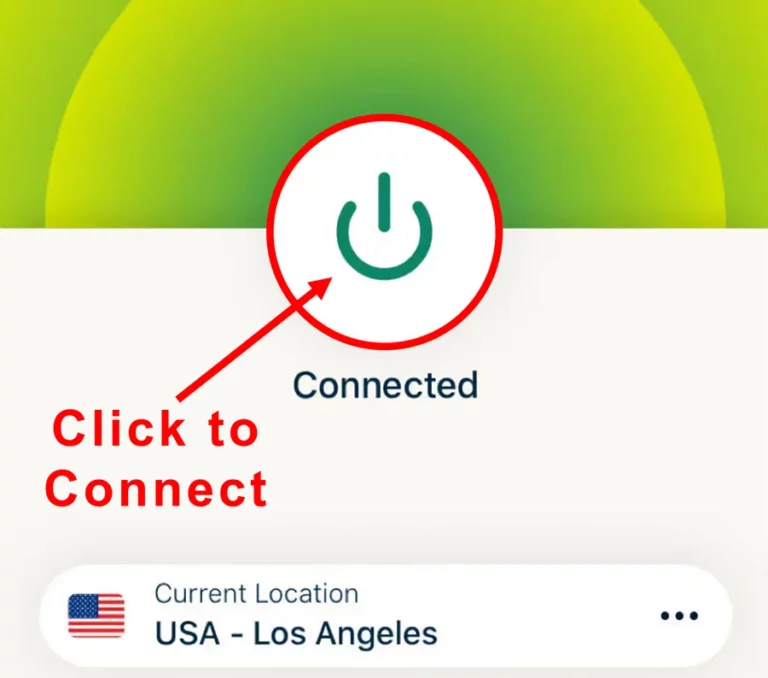
The following are the steps to install ExpressVPN VPN on your Fire TV devices. If you have other streaming devices, follow Step 1-3 above.
-
Step 4 Subscribe to ExpressVPN
Subscribe HERE (if not subscribed already).
-
Step 5 Go to Fire TV Stick home screen.
Click Find followed by Search option (see image below).
-
Step 6 Type Expressvpn in the search bar and select when it shows up
-
Step 7 Click Download
-
Step 8 Open the ExpressVPN app
Sign in using the email ID and password that you created while buying the ExpressVPN subscription.
-
Step 9 Click the Power icon to connect to a VPN server.
That’s all. Your FireStick is now secured with the fastest VPN.
Is Team EzzerMacs Wizard 2026 Repo Working?
Kodi repositories have a bit of a reputation for vanishing at the worst possible moment—like a Wi-Fi signal during a storm—but the EzzerMacs repository has quietly kept showing up, not just surviving the usual server hiccups but actually getting better over time, which, frankly, feels rare in this space; based on long-running observations across multiple uptime checks and community reports, it’s currently running smooth, though it’s worth remembering that most Kodi repo servers occasionally go down for reboots before bouncing back like nothing happened, so if anything ever does change with the EzzerMacs Wizard repository, a clear heads-up will be placed right at the top—no drama, no mystery, just the usual behind-the-scenes tech chaos doing its thing.
EzzerMac Wizard’s cleaner layout honestly takes a lot of the usual Kodi chaos off the table—everything that matters shows up on one main screen, so there’s no endless window-hopping or menu-diving just to get something playing, and according to consistent user feedback across multiple community threads, both the Wizard and its repository pack in a solid range of Kodi Leia builds and add-ons that open the door to free movies, TV shows, music, live sports, news, and whatever else fills a late-night binge; it’s not hard to see why the Ezzer-Macs repo crew has built such a loyal following lately, with this fast-climbing underdog edging closer to that “go-to” Leia repo status—install it, dig around, and chances are the streams will keep flowing like a well-behaved midnight river instead of buffering into oblivion.
Final Verdict
Honestly, EzzerMacs is one of the few repos lately that doesn’t feel like digging through a digital dumpster fire; it’s basically a Swiss Army knife where you can grab anything from a lightweight skeleton build to a fully loaded beast without melting your processor. Plutonium is the standout, though—it’s slick, potent, and respects your hardware enough not to crash it every five minutes, which is a minor miracle in this community. But look, if you’re going in raw without a VPN, you’re practically begging for a nasty letter from your ISP, and if I had a dollar for every time that warning was ignored, I’d be sipping mojitos on a yacht instead of typing this. Enjoy the stream, but tread carefully—those Kodi rabbit holes get weirdly deep, and nobody wants to get stuck in the glitchy abyss.